How to create a company email signature (with examples)
17 October 2025
0 min read
TL;DR
- A company email signature standardizes contact details, branding, and compliance across every message your organization sends
- Include core elements such as your name, title, logo, contact information, social links, and legal disclaimer for a clear, consistent layout
- Keep your corporate email signature simple, readable, and aligned with brand guidelines. Test it across devices and email clients
- Centralized management helps IT and Marketing maintain consistency, reduce manual updates, and ensure compliance organization-wide
A company email signature adds structure and consistency to every message your organization sends. It provides the right contact information, reinforces your company’s brand, and ensures employees present a unified, professional image in every interaction.
In this guide, we’ll show you how to design a clear, consistent company email signature and share real examples to learn from. Well also explain how solutions like Exclaimer's email signature manager makes it easy to manage corporate email signatures from one centralized platform.
What is a company email signature?
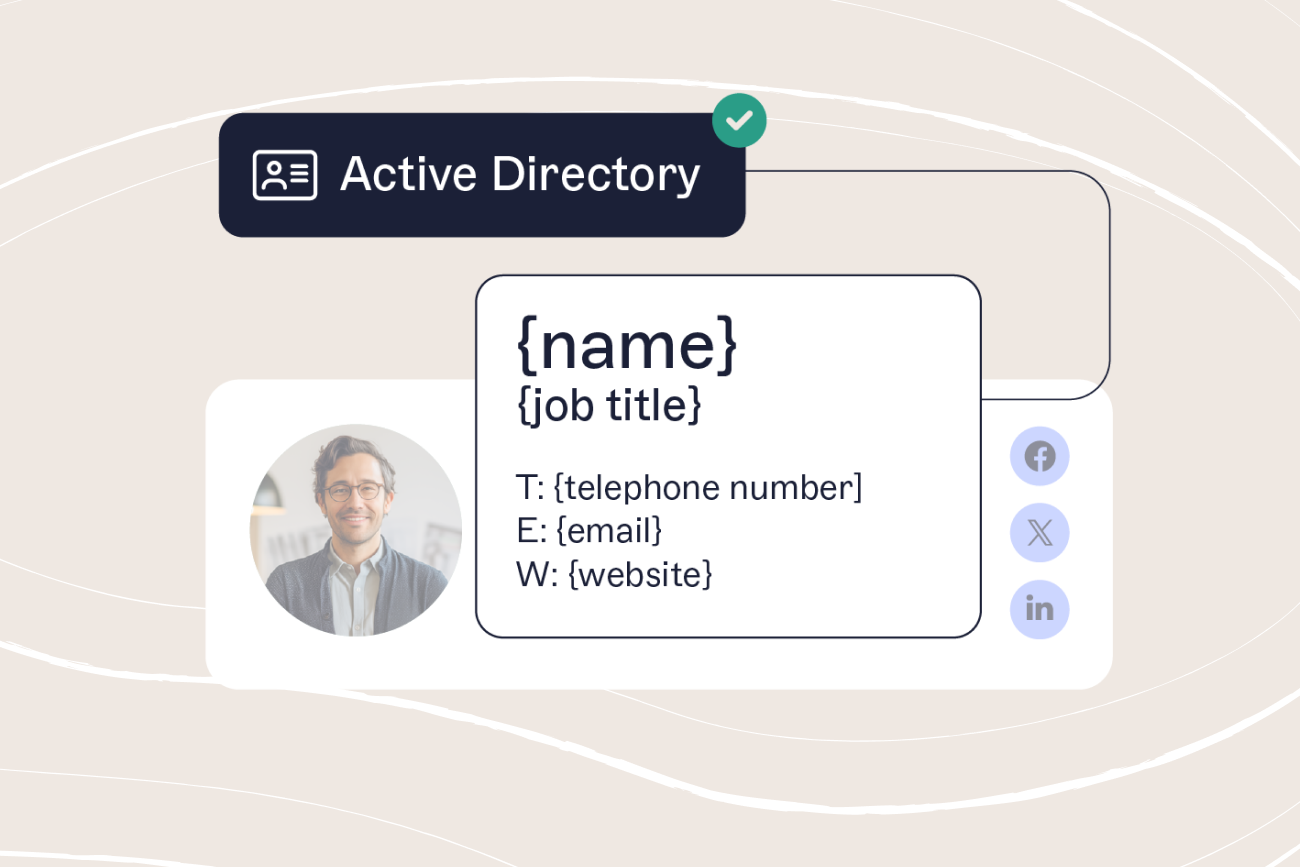
A company email signature is a standardized block of information automatically added to the end of outbound business emails. It typically includes the sender’s name, role, company logo, contact information, and optionally, elements like social media links, legal disclaimers, or promotional banners.
 A consistent company email signature makes communication clearer and more professional. It helps recipients identify your organization instantly and ensures that every email reinforces the same visual identity, no matter who sends it. In fact, our research shows that 94% of marketers believe branded email signatures contribute to stronger brand visibility and engagement.
The use of company email signatures dates back to the early days of email communication. As email became a primary channel for business correspondence, professionals needed a consistent way to share contact information and maintain credibility.
Over time, corporate email signatures have evolved to include branding elements such as logos, social links, and promotional banners, strengthening their role in professional communication.
Why having a company email signature matters
A company email signature ensures every message your business sends looks professional and consistent. It gives recipients a clear way to contact you, reinforces your brand identity, and helps every employee represent your company in the same professional way.
 Using a standardized, branded company email signature also creates a cohesive experience for recipients and supports stronger business relationships across teams and regions.
1. Makes contact easy
A well-structured corporate email signature includes essential contact details such as a phone number, email address, and web URL. This makes it simple for recipients to respond or connect through the right channels.
2. Strengthens brand identity
Consistent business email signatures help embed your brand identity into every interaction. Including your company logo, brand colors, and fonts within your email signature reinforces brand recognition and builds a polished, professional image.
3. Builds credibility and trust
A standardized company email signature helps position your organization as reliable and trustworthy. It signals professionalism and ensures every employee’s communication aligns with your company’s standards.
4. Supports compliance
Including email disclaimers within your company signature is an easy way to meet regulatory requirements and protect your business communications. This supports responsible practices across industries that require compliance documentation.
5. Saves time
Using an automated corporate email signature removes the need to manually add details to each message. It standardizes information across teams, improves consistency, and lets employees focus on more important work.
6. Creates marketing opportunities
A professional email footer can serve as an unobtrusive marketing tool. Add banners, calls-to-action, links to promotions, or event invites to drive engagement directly from everyday emails.
What elements need to be included in your company email signature?
A well-structured company email signature helps deliver a professional, consistent experience with every email sent.
 To design an effective corporate email signature, include these key elements:
1. Company logo
Your company logo is a key visual anchor in every corporate email signature. It provides a visual representation of your brand and strengthens brand recognition with every interaction.
2. Full name and job title
Including your full name and job title helps recipients quickly identify you and understand your role. It builds credibility, particularly when reaching out to new contacts.

3. Contact information
Add essential contact details such as a direct phone number, email address, and office location (if relevant). A consistent company email signature makes it simple for recipients to get in touch through the right channels.
4. Social media icons
Add social icons that link directly to verified company accounts on platforms like LinkedIn or X (formerly Twitter). This expands your online presence and encourages deeper engagement.
5. Promotional banner or call-to-action
A banner or CTA can extend your marketing reach. Use it to highlight current campaigns, webinars, or key initiatives without disrupting your main message.

6. Profile photo (optional)
Adding a professional headshot to your company email signature can make communication feel more personal. This is especially effective for client-facing roles, though it may not be suitable for all industries.
7. Legal disclaimer
Most businesses require a legal disclaimer in their email communications. Including it in your business email signature supports compliance with industry regulations and protects your organization from potential legal issues.
8. Calls-to-action and interactive elements
Turn everyday emails into engagement opportunities by adding one-click surveys, meeting links, or icons showing awards and certifications. These subtle touches reinforce credibility and professionalism.

Corporate email signature best practices
Once you’ve defined the key elements of a company email signature, the next step is to apply consistent best practices.

Here’s what to keep in mind when designing and managing your corporate email signature:
1. Keep it simple and clear
A business email signature should be easy to read and free from unnecessary detail. Avoid cluttered designs or too many images. A clean, straightforward layout reinforces clarity and professionalism.
2. Use a web-safe font
Choose standard web-safe fonts such as Arial, Verdana, Georgia, or Times New Roman. These display reliably across devices and email clients, keeping your corporate email signature consistent everywhere.
3. Maintain brand consistency
Use your approved logo, color palette, and typography in every company email signature. This helps create a unified experience across your emails, website, and marketing materials.

4. Include clickable links
Every relevant element in your business email signature—such as logos, social media icons, and calls-to-action—should include clickable links. This makes it easy for recipients to visit your website, connect on social media, or respond to promotions.
5. Design for mobile
Many business emails are read on phones. Create a responsive mobile email signature that adapts to smaller screens and maintains legibility. Always test it across iOS and Android devices.

6. Test across platforms
Preview your corporate email signature in major clients like Outlook, Gmail, and Apple Mail before rollout. Testing ensures formatting, links, and spacing stay consistent regardless of platform.
7. Simplify for replies and forwards
Consider using a shortened version of your professional email footer for email replies and forwards. This keeps the conversation clean, avoids clutter, and maintains a consistent, polished image.
8. Update regularly
Review your corporate email signatures on a schedule—at least quarterly. Update contact information, refresh campaign banners, and align with any new branding or compliance changes.

How to create a company email signature in Outlook
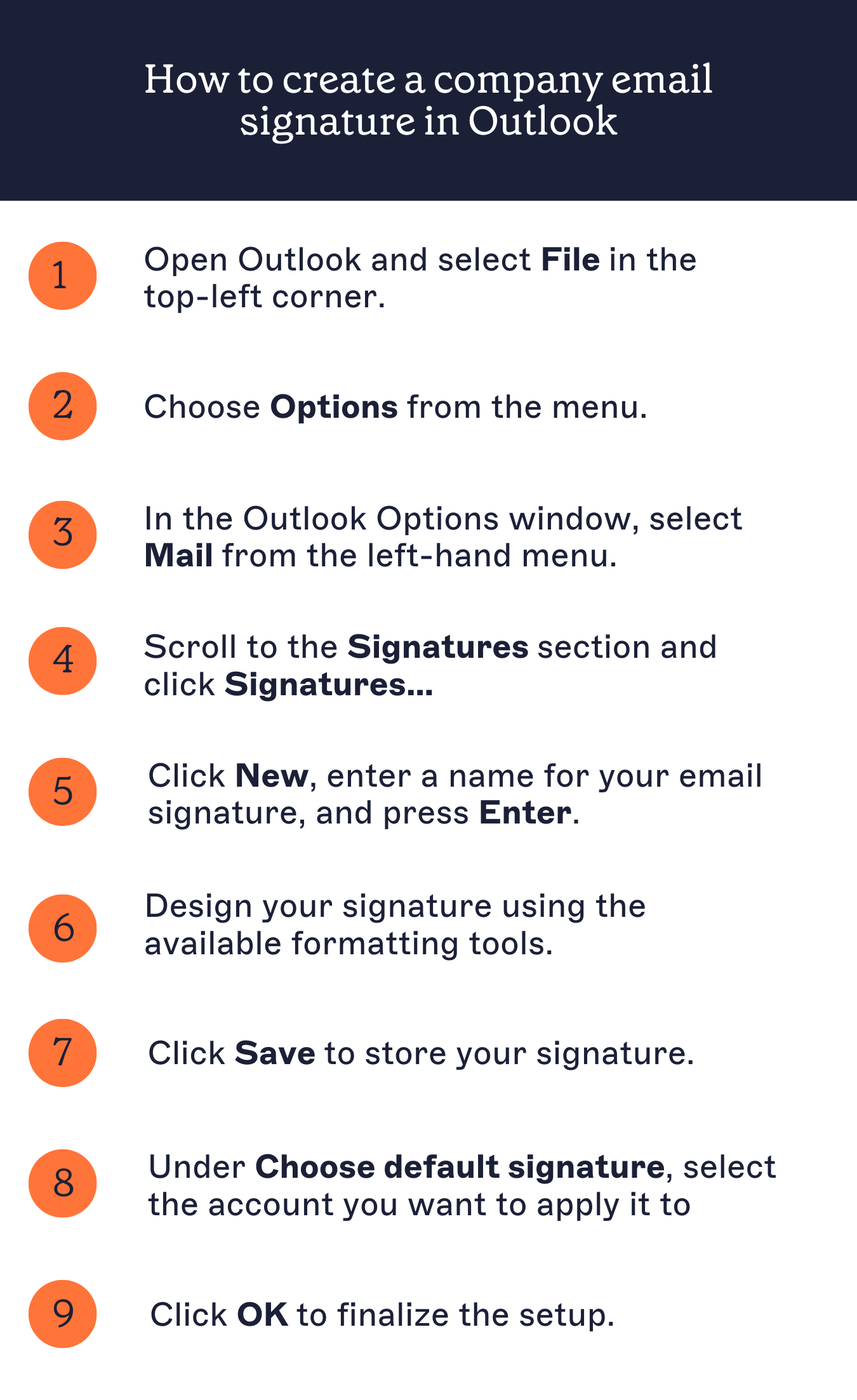
Outlook is a widely used platform for business communications. Follow these steps to create a company email signature in Outlook:
Open Outlook and select File in the top-left corner.
Choose Options from the menu.
In the Outlook Options window, select Mail from the left-hand menu.
Scroll to the Signatures section and click Signatures…
Click New, enter a name for your business email signature, and press Enter.
Design your signature using the available formatting tools. You can add text, logos, social media icons, and links.
Click Save to store your signature.
Under Choose default signature, select the email account you want to apply it to. Assign your corporate email signature for new messages, replies, or both.
Click OK to finalize the setup.
How to create a company email signature in Gmail
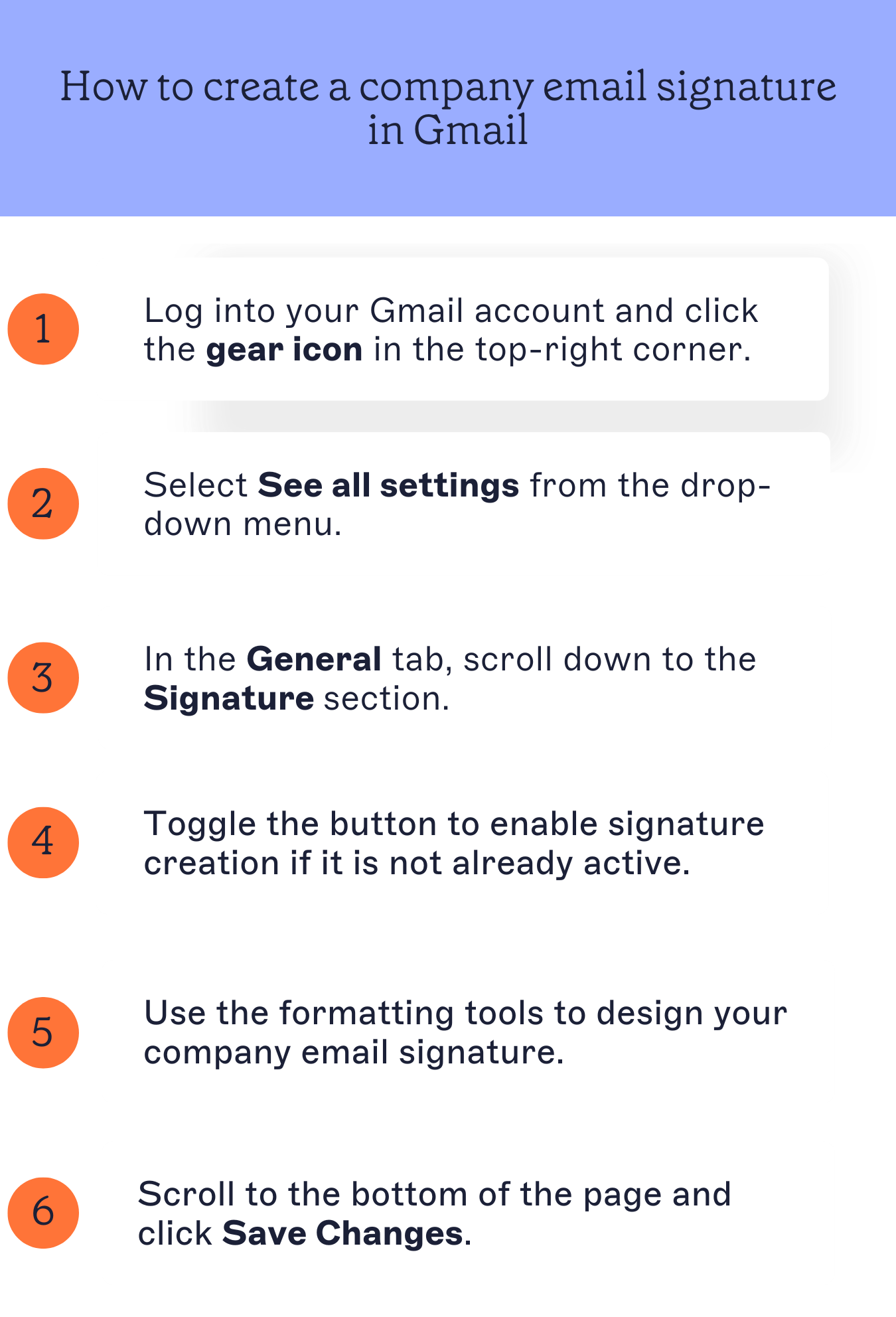
Gmail is another popular email client for businesses. Here's how to create a company email signature in Gmail:
Log into your Gmail account and click the gear icon in the top-right corner.
Select See all settings from the drop-down menu.
In the General tab, scroll down to the Signature section.
Toggle the button to enable signature creation if it is not already active.
Use the formatting tools to design your business email signature. You can add text, a company logo, social media links, and promotional banners.
Scroll to the bottom of the page and click Save Changes.
How to design and manage company email signatures
Knowing the essential elements of a strong company email signature is only the first step. The next is deciding how to design and manage them effectively across your organization.
 Here are the most common ways businesses manage corporate email signatures, along with their advantages and drawbacks:
1. Individual responsibility
Some organizations allow employees to create and manage their own business email signatures.
While simple to set up, this often leads to inconsistent designs, outdated information, and a lack of brand control. Without centralized management, maintaining a professional and uniform look becomes difficult.
2. Using an email signature generator
Free email signature generators can help individuals design a polished layout using prebuilt templates. These tools work for freelancers or small teams, but they can’t enforce consistent corporate email signatures across large organizations. The result is fragmented branding and limited compliance oversight.
3. Copying into an email client
Another method is creating a shared HTML template and asking employees to manually copy their company email signature into their email client.
While this method provides customization options, it introduces room for error. Small mistakes in formatting, outdated versions, and inconsistent designs are common. Managing uniform company email signatures this way is slow and unreliable, especially across devices and platforms.
4. Centrally controlled by IT
Some companies assign responsibility for business email signatures to the IT department. Centralized control helps maintain consistent branding and simplifies updates.
However, manual email signature management can place a significant burden on IT teams, leading to delays and mistakes. Handling updates for hundreds or thousands of employees becomes time-consuming, and small errors can quickly spread.
5. Using email signature software
The most efficient way to design and manage company email signatures is by using email signature software.
These platforms provide centralized control, customizable templates, automated updates, and consistent branding across all professional email footers.
Email signature management software also enables delegated access for teams like Marketing or HR, reducing IT workloads.
Final thoughts on company email signatures
A company email signature reinforces your brand, supports marketing campaigns, and keeps communication consistent across your organization. Including key elements like your logo, contact details, social links, and banners means every message looks professional and aligns with your brand identity.
 By following best practices and using centralized management, you can maintain consistent corporate email signatures for all employees. A well-designed, centrally controlled signature strengthens credibility, builds trust, and helps every email represent your business at its best.
Ready to simplify company email signature management?
Managing professional business email signatures across your entire organization shouldn’t be complicated.
With Exclaimer's email signature management solution, you can easily design, control, and update company-wide email signatures. This ensures brand consistency, legal compliance, and marketing success on every email.
Start your free trial today and see how effortless managing corporate email signatures can be.