Dave is a marketing expert with 15 years experience in the tech and SaaS world. He specializes in educating IT and channel audiences, with a focus on security, privacy, compliance, and marketing technology. With a talent for storytelling and a deep understanding of the industry, Dave transforms complex IT topics into clear, engaging, and impactful narratives.
Role-based access control (RBAC) for email signatures
TL;DR
RBAC (Role-Based Access Control) assigns permissions to roles, not individuals, giving IT teams safer, more efficient control over email signature management
It simplifies governance by allowing departments like Marketing, HR, and Legal to make approved updates without losing IT oversight
Exclaimer extends RBAC across Microsoft 365 and Google Workspace, syncing user data and permissions automatically
Compliance and auditability are built in: every change is logged, creating a verifiable audit trail that supports evidence for ISO 27001, SOC 2 Type II, and GDPR reviews
RBAC turns email signature management into a scalable, secure process, reducing risk, saving time, and keeping every email consistent and compliant
Managing email signatures across an organization can be frustrating for IT teams. Between constant updates, marketing requests, and compliance requirements, even small changes can turn into hours of manual work. It’s a routine task that often creates unnecessary tickets and inconsistent results.
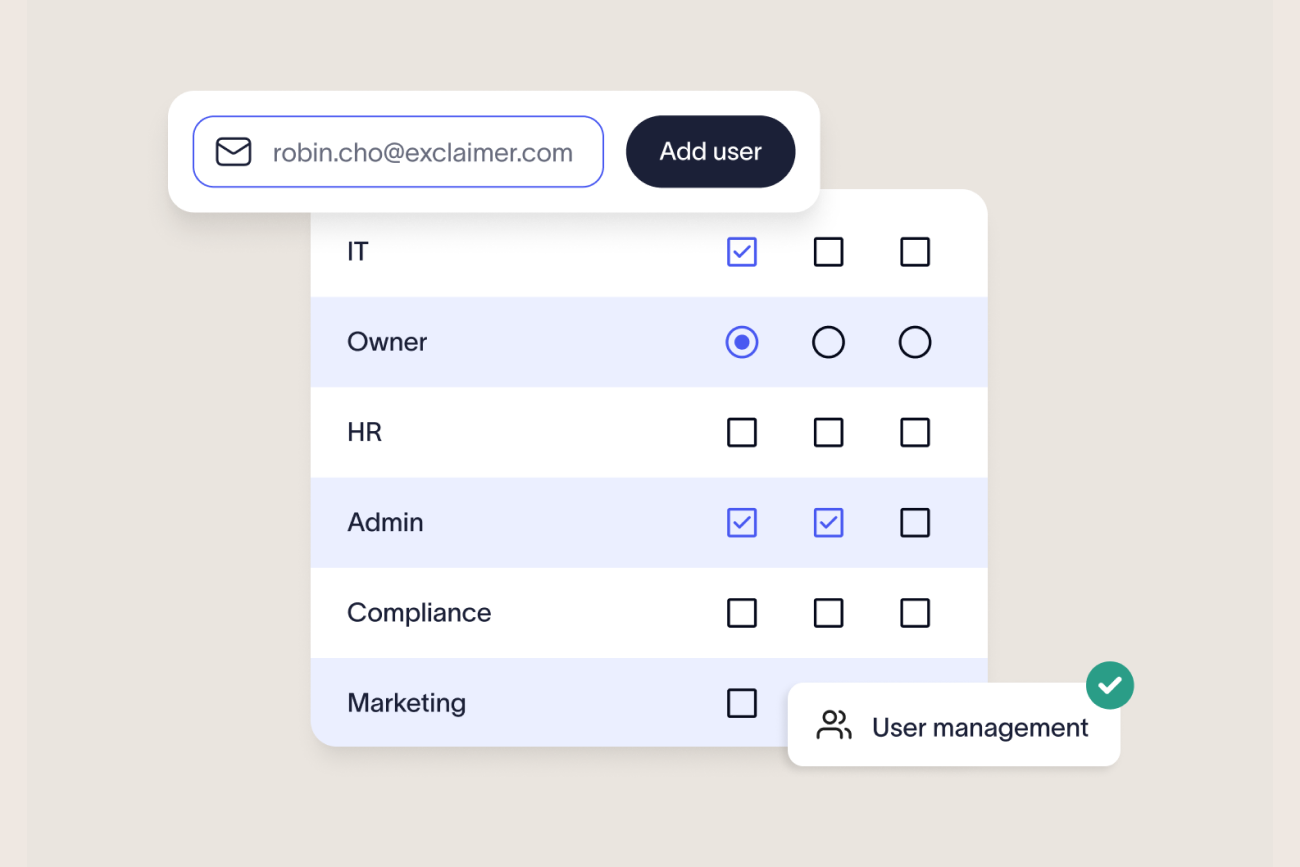
RBAC (Role-Based Access Control) assigns email signature management permissions to defined roles rather than individual users. In Exclaimer, IT typically retains full administrative control, marketing and other approved teams edit within set boundaries, and reviewers get read-only access, so every team gets exactly the access their job requires and nothing more.
What is RBAC for email signatures?
As IT systems expand, managing access securely becomes harder. Giving every user unrestricted control increases the risk of errors, inconsistent data, and compliance breaches. Role-Based Access Control (RBAC) provides a structured way to fix that.
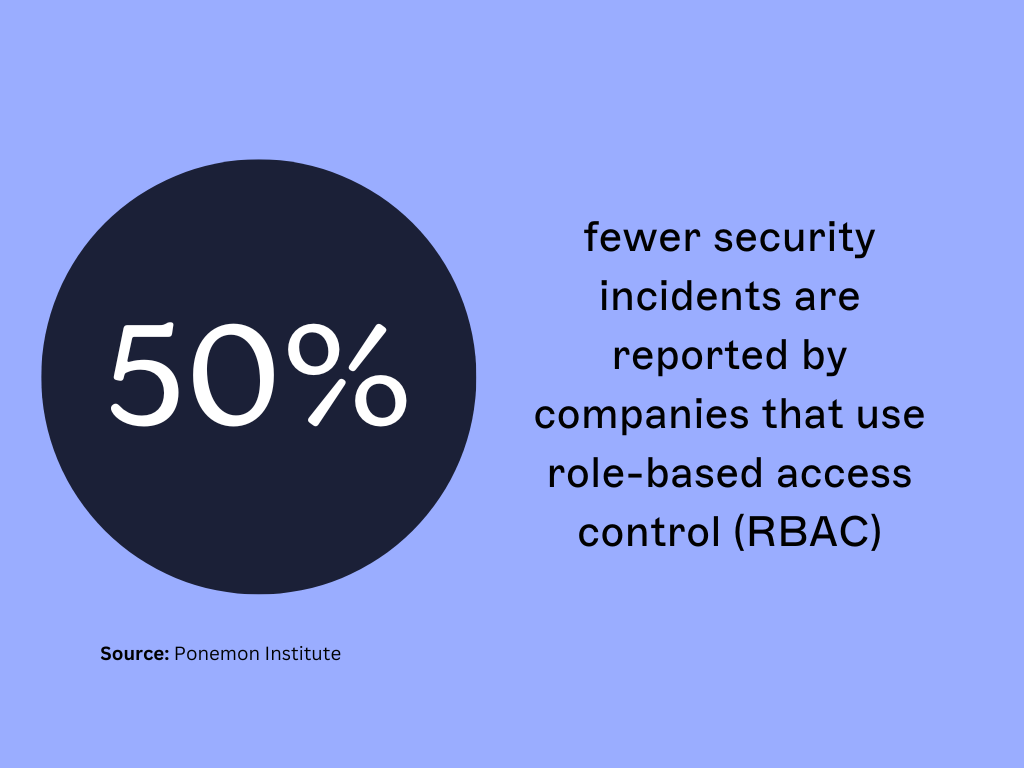 RBAC manages permissions by assigning access based on job roles rather than individuals. It follows the principle of least privilege defined by the National Institute of Standards and Technology (NIST), granting only the access required to perform a task.
In practice, RBAC works like this:
Roles: Define grouped permissions, such as Admin, Editor, or Viewer.
Users: Are assigned to one or more roles depending on their responsibilities.
Policies: Control what each role can view, change, or approve.
This model reduces risk, improves compliance, and simplifies administration. It’s also easy to scale as roles stay consistent even as teams grow or reorganize.
When applied to email signature management, RBAC creates clear boundaries between departments. Marketing can update email banners, HR can maintain staff details, and Legal can manage disclaimers. And all while IT keeps overall control.
Recommended email-signature roles and permissions
The table below is a recommended governance model, not a confirmed list of Exclaimer's exact product role names or permission settings. Exclaimer's documented roles today are Admin, Editor, and Viewer, described elsewhere on this page.
Where this table goes further than that three-tier model, treat it as a framework for structuring RBAC policy, not a product spec, until product documentation confirms otherwise.
Role | Example owner | Allowed actions | Typically not allowed | Scope |
Signature Administrator | IT | Create, edit, and delete templates; assign roles; configure policies; publish; view audit logs | — (full scope by design) | Organization-wide |
Template Editor | Marketing or communications | Edit approved layouts, images, banners, and campaign content | Assigning roles, editing locked legal text, publishing organization-wide | Assigned department, brand, or region |
Data Steward | HR | Maintain approved employee fields (name, title, department, phone) | Editing layout, legal text, or deployment rules | HR-managed directory fields |
Compliance Approver | Legal or compliance | Review and approve disclaimers and regulated content; inspect change history | Assigning administrative access | Jurisdiction or business unit |
Auditor / Viewer | Internal audit or security | Read templates, role assignments, deployment rules, and audit records | Editing, approving, publishing, or deleting anything | Read-only |
Publisher | IT or a designated communications lead | Publish approved templates to authorized groups | Changing role assignments without separate authorization | Defined group, region, or tenant |
Separating who can edit content from who can publish it, and both from who can approve it, is what makes an access review or an audit hold up. A single "Editor" role that can also publish organization-wide removes that separation.
Why IT teams need RBAC for email signature management
For most organizations, email signatures are a shared responsibility. However, it's IT that carries the burden of managing them. Each department wants something different. Without structure, small requests create backlogs and inconsistent results.
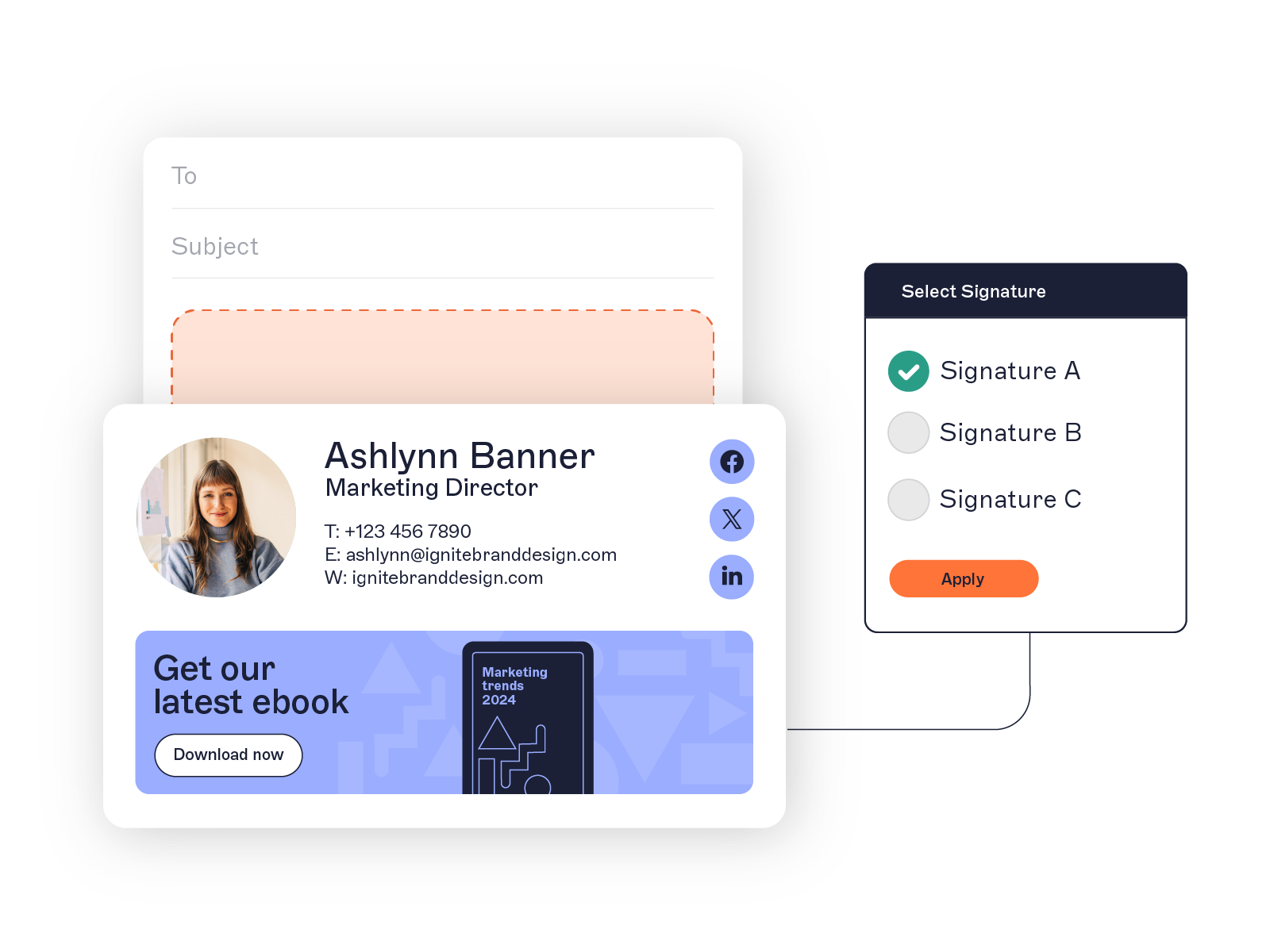 RBAC solves this problem by giving IT precise control while allowing other teams to contribute safely, following the roles and scopes in the table above.
This model perfectly aligns with how organizations already operate. In platforms like Microsoft 365 and Google Workspace, permissions are tied to roles, not individual users.
The benefits of RBAC for IT
Less manual work: Departments can make approved updates without creating IT tickets.
Built-in compliance: Disclaimers, branding, and formatting stay locked to prevent unauthorized edits.
Audit-ready control: Every change is tracked, creating a complete record for reviews or investigations.
Flexible delegation: Roles can be tailored by department, region, or business unit—no one-size-fits-all access.
RBAC transforms email signature management from a reactive support task into a structured, controlled process. IT remains the system owner, while other teams gain just enough access to stay productive.
Uncontrolled email signatures can expose organizations to brand inconsistency, outdated information, or even legal liability if required disclaimers are missing. RBAC prevents this by enforcing standardized permissions and locking down high-risk elements, such as legal text, logos, and contact details. When every user operates within an approved role, IT can demonstrate that every outbound email meets company policy and regional regulations.
How to implement RBAC for email signatures
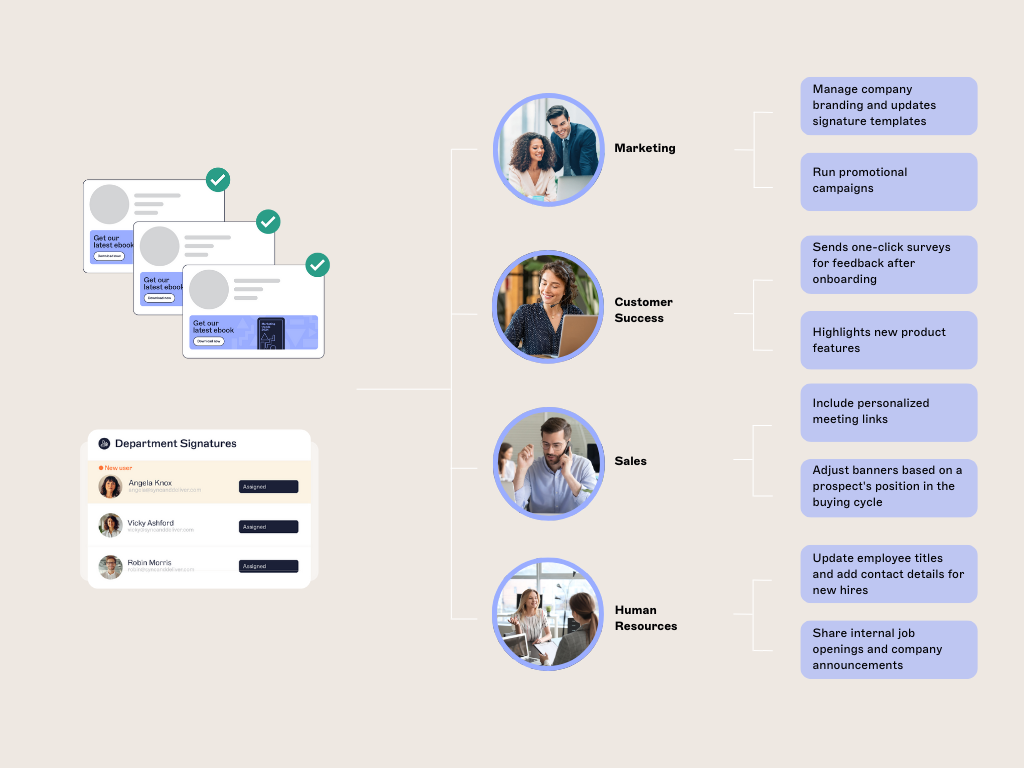
Inventory signature actions. List every action that needs controlling: create, edit, approve, publish, delete, assign roles, audit, and export.
Identify your core roles. Start from the table above, or your own equivalent, based on who in your organization actually touches email signatures.
Map responsibilities to permissions. Keep access tied to responsibilities and limit permissions wherever possible. For example, Editors can update campaign banners, but only Admins should manage disclaimers or policy content.
Separate editing from publishing. Require approval for legal text, global templates, and organization-wide deployments; don't let the same role do both by default.
Connect your identity directory. Integrate with Microsoft Entra ID or Google Workspace Directory. This syncs user data and role assignments automatically.
Assign and review access. Use Exclaimer's admin dashboard to assign roles, with a named reviewer and a set cadence for checking assignments stay current.
Assign test users and run positive and negative tests. Create separate test accounts for each role. Confirm Editors can update templates, Viewers can audit, and Admins retain full control, and confirm each role is correctly blocked from actions outside its scope.
Capture evidence. Save test results, screenshots, timestamps, and relevant audit-log records from step 7.
Deploy to a pilot group before rolling out organization-wide, to validate rendering, targeting, and approval behavior.
Recertify access on a schedule. Review privileged roles quarterly, and immediately after job changes, departures, mergers, or policy changes.
Tip: Document your RBAC policy and share it with IT and compliance teams. Clear records keep everyone aligned and make audits faster and easier.
How RBAC works in Microsoft 365 and Google Workspace
RBAC is already part of the core access model in both Microsoft 365 and Google Workspace. These platforms give IT teams a structured way to manage permissions and enforce least-privilege access across users and services.
Exclaimer builds on that foundation, extending RBAC to email signature management for consistent governance across every email sent.
Microsoft 365 and Microsoft Entra ID considerations
RBAC is already part of the core access model in both Microsoft 365 and Google Workspace. Tenant-level administration and application-level signature permissions are two different things: Microsoft Entra ID manages identity, groups, and authentication, while Exclaimer's own role settings control what a user can do inside the signature-management platform once they're recognized.
In Microsoft 365, RBAC uses roles and role groups to control who can perform specific administrative tasks. Each role group includes a set of permissions tied to a defined scope. Some examples include managing mail flow, editing settings, or configuring policies.
Exclaimer connects directly to Microsoft Entra ID (formerly Azure AD) to synchronize user data and permissions automatically. That means:
Admins can manage templates, policies, and organization-wide deployments.
Editors can adjust layouts, banners, or staff information within approved templates.
Viewers can audit signatures and verify compliance without making changes.
This structure aligns with Microsoft’s least-privilege access principle, minimizing the chance of accidental changes while keeping workflows efficient.
Whether this runs on Entra security groups, assigned application roles, or synchronized directory attributes needs confirming against current product documentation — flagged as an open item rather than asserted here.
Google Workspace considerations
Google Workspace also uses role-based permissions, with predefined and custom roles that define access levels.
Administrators can assign roles like Super Admin, Groups Admin, or create new ones tailored to their organizational needs. As with Microsoft 365, Google's own admin roles and Exclaimer's signature-management roles are separate layers: one controls the Workspace account, the other controls what a user can do inside Exclaimer.
Exclaimer integrates directly with Google Workspace Directory to extend these permissions into email signature management. Once connected, permissions and updates stay synchronized, so each department has the right level of control.
Design or marketing teams can manage signature visuals and banners.
HR can update staff data fields without editing template layouts.
IT maintains complete oversight across all accounts and departments.
Whether the integration imports users, groups, organizational units, or profile attributes through the Google Workspace Admin SDK, and exactly how those map to Exclaimer roles, is a documentation question, not a copy question.
Audit logs and compliance evidence
Compliance doesn’t stop at email security tools. Every message sent from your organization must meet regulatory, legal, and brand standards. That includes how disclaimers are applied, who controls them, and whether changes can be verified later.
RBAC helps IT teams meet these requirements by creating a structured, traceable access model for email signature management.
With Exclaimer, permissions are defined at the role level. Only approved users can edit or publish email signature templates, and sensitive content, such as legal disclaimers or policy notices, can be restricted to authorized roles.
This reduces human error and supports the access-control evidence organizations need for frameworks such as ISO 27001, SOC 2 Type II, and GDPR. RBAC doesn't make an organization compliant on its own — compliance depends on the organization's broader policies, scope, and reviews, not the software alone. By removing user-managed signatures, IT gains centralized control while still allowing departments to update content within defined boundaries.
Every change made within Exclaimer is logged automatically. IT teams can see who made an update, when it was made, and what was changed. This audit trail provides verifiable proof of compliance and simplifies internal reviews or external audits.
"Role-based access control is the difference between having an audit trail and being able to prove exactly who changed what, and when, for any employee, on demand. That's the specificity auditors and regulators actually ask for." Karl Bagci, Director of IT and Information Security
How RBAC maps to compliance evidence
Governance objective | Email signature RBAC control | Evidence to retain |
Least privilege | Editors can't assign roles or publish organization-wide | Permission matrix, role-assignment export |
Segregation of duties | One role edits; another approves or publishes | Approval record, audit-log events |
Change traceability | Administrative changes are logged | Timestamped change history |
Access recertification | Privileged roles are reviewed periodically | Signed review record, remediation log |
Legal-content control | Disclaimer blocks are restricted to approved roles | Template version, approval evidence |
Having this visibility also reduces time spent investigating discrepancies or unauthorized edits. This turns compliance from a reactive process into a reliable system.
Centralized email signature management made simple
RBAC brings structure and accountability to every part of email signature management. With Exclaimer, that same role-based control extends across your entire organization, combining centralized oversight with safe, delegated access for different teams. More than 80,000 organizations worldwide use Exclaimer to give IT one place to manage permissions, keep email signatures consistent, and meet compliance requirements.
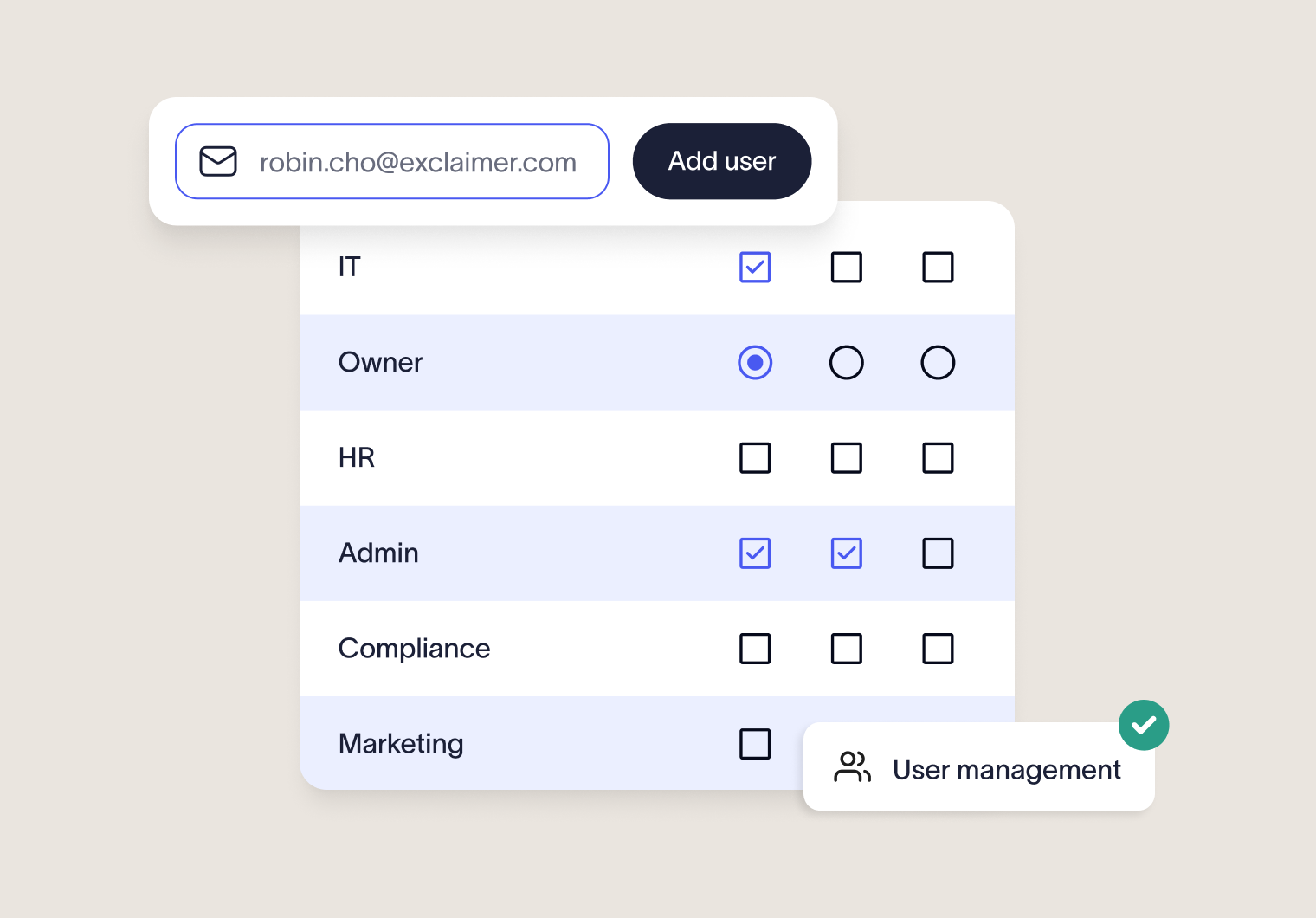 Here’s what that looks like in practice:
Consistent branding: Every email carries a standardized, professional signature that reflects your brand.
Delegated control: Marketing, HR, and Legal teams can update approved fields or banners without creating IT tickets.
Directory synchronization: Permissions stay aligned automatically with Microsoft 365 or Google Workspace user roles.
This approach saves time, reduces compliance risk, and gives IT teams confidence that every outbound email is accurate, compliant, and on brand.
Exclaimer turns email signature management from a repetitive support task into a scalable governance process. One that's clear, controlled, and built for modern IT environments.Try it free