





How to write a meeting invitation email
11 December 2025
0 min read
TL;DR
Write meeting invites that are short, clear, and easy to act on.
Lead with the purpose, then share the date, time, and location or link.
Use a simple agenda so recipients know what to expect.
Keep formatting clean with short paragraphs and bullet points.
Send invites early and ask directly for confirmation.
Use consistent email signatures to add clarity and important contact details to every message.
Want more practical guides like this? Explore more email best-practice resources.
Meeting invitation emails do simple but important work. They tell people why you want to meet, what you expect to cover, and how to join. A clear invite cuts confusion and saves everyone time.
This guide shows you how to write meeting invitations that get quick replies and fewer follow-ups. It also includes templates for common situations, so you can adapt them fast and send with confidence.
What is a meeting invitation email?
A meeting invitation email is a short message that asks someone to meet and gives them the details they need to join. It covers the purpose, date, time, and format, so recipients can respond and prepare quickly.
Good invitations stay brief and clear. They use straightforward subject lines, give only the information people need, and remove guesswork about why the meeting matters.
Most people are already juggling packed calendars. They decline anything that feels vague, low-value, or hard to place. A meeting invitation email has to cut through that noise. It needs to explain the purpose, the logistics, and why it matters. If it doesn’t, the invite gets ignored.
Is email always the best way to invite people to a business meeting?
There are plenty of ways to send a meeting invite, but email is still the most reliable option for most organizations. It’s practical, fast, and works with the tools people already use.
The advantages of email invitations are:
Straight into the calendar: People can accept the invite, and it drops into their schedule without extra steps. No chasing, no manual entry.
Built for virtual meetings: If you're using Teams, Zoom, or another conferencing tool, the links and dial-in details stay tied to the invite. Attendees don’t have to hunt for the meeting URL later.
Direct delivery: As long as you’re not sending to a shared mailbox, the message lands where it needs to.
Quick to send: Write a short note, add the details, and you’re done.
Universal: Everyone has an email address. It’s still the most dependable channel for business communication.
That said, context matters. A quick call can be more efficient in some cases. A handwritten invite or printed card can work for high-touch meetings, but those approaches don’t scale, so use them selectively.
Email remains the most consistent way to reach people and get a confirmed slot in their calendar—simple, predictable, and built for how organizations work today.
What’s the difference between asking for a meeting and confirming it with a calendar invitation?
Meeting invites can follow two patterns: a two-stage process or a one-stage process. Most teams use both at different times, depending on how much coordination is needed.
Two-stage email meeting invitation process
This is the more collaborative approach and works best when the details aren’t settled yet.
The organizer emails attendees with the purpose, agenda, time, location, and expected duration of the proposed meeting.
Attendees reply to confirm whether they can join.
Anyone who can’t make the suggested time can propose alternatives, and the group aligns on a workable slot.
Once there’s agreement, the organizer sends a calendar invitation with the final details.
Attendees accept the calendar invite so it appears in their diaries.
In this model, email is used to agree that the meeting will happen. The calendar invite then locks it down.
One-stage email meeting invitation process
This cuts straight to the calendar invite and is often used when the details are fixed.
The organizer sends a calendarized email invite outlining the purpose, agenda, time, location, and duration.
Attendees reply with their availability.
Anyone who needs a different time can suggest alternatives, and the organizer updates the invite if needed.
Attendees accept the invite once a final slot is agreed.
Pros | Cons |
Fewer steps, so it’s quicker | Can feel abrupt if attendees haven’t been given context |
Fewer steps, so it’s quicker | May come across as presumptive |
Fits situations where the timing and location are already set | Doesn’t offer the same level of consensus-building as the two-stage process |
Whichever approach you use, you still need a clear meeting invitation email. The difference is whether you use email to negotiate the meeting or simply deliver it.
What to include in a meeting invitation email
A good meeting invitation email gives people the details they need to respond and prepare. Keep it short and include the essentials:
Subject line: State the meeting topic
Purpose: One line on why you’re meeting
Date and time: Add time zone if needed
Location or link: Room details or a join link
Agenda: Key points you plan to cover
Prep work: Files, updates, or context they should review
Call to action: Ask them to confirm or reply with questions
These details remove guesswork and make the meeting easier to schedule and attend.
How to write a meeting invitation email
A good meeting invitation is easy to read and quick to act on. Keep it short and follow a simple structure:
- 1
Write a clear subject line
State the meeting topic in a few words.
- 2
Open with the reason
Explain why you want to meet in one sentence.
- 3
Add date, time, and location
Include a join link or room and time zone if needed.
- 4
List the agenda
Highlight the main points you plan to cover.
- 5
Ask for what you need
Ask them to confirm, send input, or review material.
- 6
Attach any context
Add files or links they should read before the meeting.
Meeting invitation subject line examples
A subject line should tell people why you're contacting them in a few words. Keep it short and focused.
Here are subject lines grouped by meeting type to make them easier to use.
General meeting invitations
- Meeting request: [Topic]
- Quick meeting about [Topic]
- Request to meet on [Topic]
Team or internal meetings
- Team meeting on [Project]
- Sync on [Topic]
- Planning meeting this [Day]
Client or external meetings
- Client meeting to review [Topic]
- Meeting request: [Your Company] + [Client Name]
- Discussion on [Service / Proposal]
Follow-up meetings
- Follow-up meeting on [Topic]
- Next steps for [Project]
- Second meeting request: [Topic]
Meeting invitation email examples
General meeting invitation email
Hi [Name],
I’d like to meet to review progress on [project] and confirm next steps.
Date: [Day, Date]
Time: [Time, Time zone]
Location: [Room or video link]
Agenda:
- Current status
- Risks or blockers
- Next actions
Thanks,
[Your name]
Client meeting invitation email
Hi [Name],
Let’s schedule time to review [project/service] and address any questions.
Date: [Day, Date]
Time: [Time, Time zone]
Location: [Video link]
Agenda:
- Progress
- Feedback
- Next steps
[Your name]
[Title]
[Company]
Follow-up meeting invitation email
Hi [Name],
Following our last conversation, I’d like to meet to confirm next steps.
Date: [Day, Date]
Time: [Time, Time zone]
Location: [Room or video link]
Agenda:
- Summary of last discussion
- Open items
- Agreed actions
[Your name]
Virtual meeting invitation email
Hi [Name],
Let’s meet to walk through [topic] and answer any open questions.
Date: [Day, Date]
Time: [Time, Time zone]
Join link: [Video link]
Agenda:
- Key updates
- Items to discuss
- Next steps
[Your name]
[Title]
Sales or demo meeting request
Hi [Name],
I'd like to show you how [product/service] can support your goals. The session takes about [Length].
Date: [Day, Date]
Time: [Time, Time zone]
Join link: [Video link]
Agenda:
- Short walkthrough
- Key use cases
- Q&A
[Your name]
[Title]
[Company]
Cross-functional or project kickoff meeting
Hi [Name],
We’re starting work on [project], and I’d like to bring the team together to align.
Date: [Day, Date]
Time: [Time, Time zone]
Location: [Room or video link]
Agenda:
- Goals and scope
- Roles and responsibilities
- Timeline
- Next actions
[Your name]
[Title]
Rescheduled meeting email
Hi [Name],
I’ve updated our meeting time so we can keep things moving.
New date: [Day, Date]
New time: [Time, Time zone]
Location: [Room or video link]
We’ll cover:
- Outstanding items
- Decisions needed
- Next steps
[Your name]
How to write a follow-up meeting invitation email
A follow-up invite helps you move a conversation forward. Keep it short and remind the recipient what you last covered.
Reference your last meeting or conversation
One line is enough.State why you need another meeting
Be clear and direct.Offer a date, time, and location or link
Add a time zone if needed.List the points you want to confirm
Stick to the essentials.Tell them what you need
Ask them to confirm or suggest another time.
How to write a meeting reminder email
A reminder email should be brief. Your goal is to confirm the details and make the meeting easy to join.
State that the meeting is coming up
Keep it to one line.Repeat the essentials
Include the topic, date, time, and join link or room.Highlight any prep work
Add only what they need to review or bring.Confirm the agenda
List the key points.Invite questions
Make it easy for recipients to reach out.
How to decline a meeting invitation email
A clear decline email helps set expectations and keeps work moving. Keep your message short and direct.
Thank the sender for the invite
One line is enough.State that you can’t attend
Be brief. You don’t need a long explanation.Offer an alternative if you can
Suggest a new time, propose a colleague, or offer to review notes.Close with a short, positive line
Keep the conversation open.
Best practices for writing meeting invitation emails
Keep your meeting invites clear, short, and easy to act on. These practices help your message land well:
Lead with the purpose. Tell recipients why the meeting matters.
Write a specific subject line. Make the topic obvious at a glance.
Keep the message brief. One or two short paragraphs is enough.
Use a simple agenda. Highlight the points you plan to cover.
Share the essentials early. Add the date, time, location, or join link near the top.
Use clean formatting. Break up text, use bullet points, and avoid long blocks.
Send invites with enough notice. Give people time to prepare and respond.
Ask for what you need. Request confirmation or input directly.
These practices reduce back-and-forth and help people join prepared.
Create clearer meeting invites with a simple structure
Meeting invitation emails play an important role in business communication, helping teams set expectations, prepare effectively, and stay aligned. With clear details and a straightforward structure, these messages reduce confusion and make scheduling easier for everyone involved.
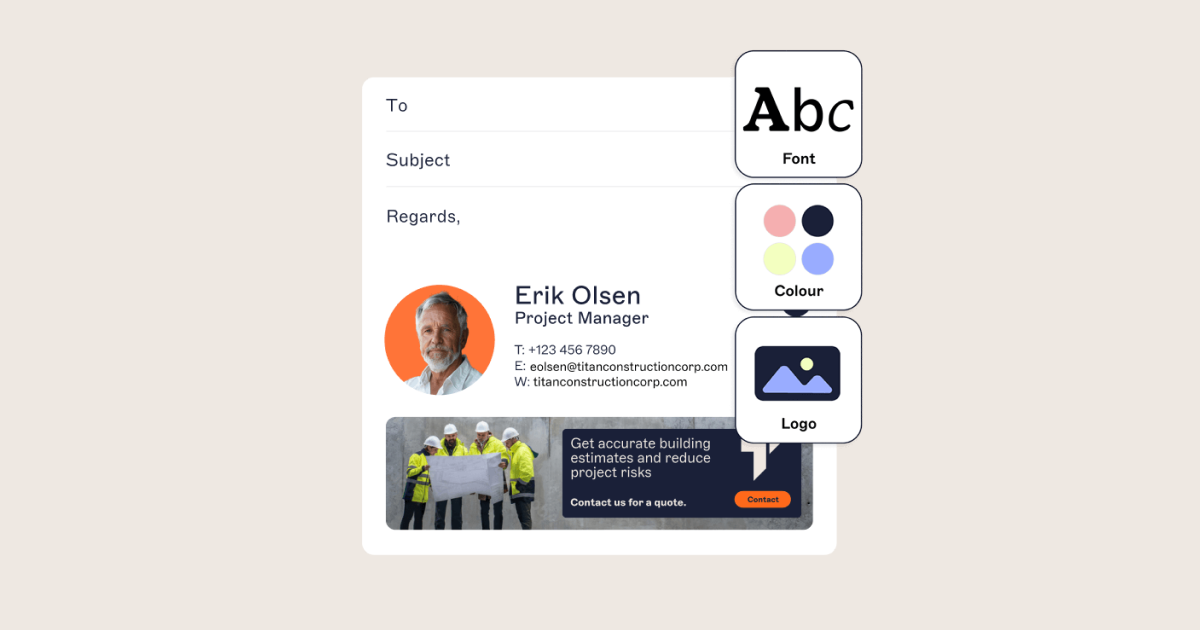
The same applies to your email signature. A consistent, well-designed signature adds clarity at the end of every message by giving recipients your contact details, calendar link, and the information they expect.
If you want to manage signatures at scale and keep every email professional and on-brand, Exclaimer can help. It gives you central control, clean designs, and signatures that update automatically across your organization.

Make your emails clearer and more professional
See how Exclaimer keeps your signatures consistent, professional, and easy to manage.
FAQs about meeting invitation emails
Send it as soon as the date is set. Give internal teams a few days’ notice and give external contacts more time.
Yes. A brief agenda helps people prepare and keeps the meeting focused.
Be clear and direct. Stay professional without being formal.
Ask plainly. For example: “Please confirm if this time works.”
Related articles
Reduce risk & reclaim IT time with modern email management
See what outdated email operations really cost and what to do about it.
Read more
Email management: Your ultimate guide to best practices
Learn how to use effective email management in your working life so you can get through tons of emails and still do your job effectively.
Read more
How to view email headers in Outlook: A complete guide
Discover how to view email headers in Outlook with our step-by-step guide. Learn to display Outlook message headers efficiently for better email management.
Read moreReduce risk & reclaim IT time with modern email management
See what outdated email operations really cost and what to do about it.
Read moreEmail management: Your ultimate guide to best practices
Learn how to use effective email management in your working life so you can get through tons of emails and still do your job effectively.
Read moreHow to view email headers in Outlook: A complete guide
Discover how to view email headers in Outlook with our step-by-step guide. Learn to display Outlook message headers efficiently for better email management.
Read more