Integrating email signatures with CRM platforms
19 August 2025
0 min read
TL;DR
- CRM-integrated email signatures turn everyday emails into targeted engagement channels
- Marketing can personalize banners, CTAs, and content based on CRM fields without IT involvement
- Sales benefits include faster scheduling, upsell visibility, and improved trust with consistent branding
- Exclaimer provides secure, scalable CRM integration for HubSpot and Salesforce, backed by enterprise-grade compliance
Email remains the most widely used and trusted communication channel for business. Marketing and sales teams send thousands of 1:1 emails every month to prospects, customers, and partners. These individual messages generate higher open and response rates than bulk campaigns. Yet the email signature, which appears on every one of these emails, is often overlooked as a way to reach and engage recipients.
When connected to a customer relationship management (CRM) platform, an email signature can display targeted, relevant content in every employee email. A CRM email signature integration automatically updates banners, calls-to-action, and links based on CRM data, removing the need for employees to make changes themselves.
In this guide, you’ll learn:
- What CRM email signature integration is and how it works
- Why it matters for both marketing and sales teams
- Practical examples and use cases across the sales funnel
- How to ensure security and compliance when integrating with a CRM
- Why leading organizations choose to connect their email signatures to CRM platforms with Exclaimer
By the end, you’ll see how this approach turns everyday business emails into a measurable, always-on channel for engagement and conversion.
How to integrate professional email signatures with CRM platforms
Integrating professional email signatures with CRM platforms is done through email signature software. This setup allows data stored in your CRM, such as industry, location, buying stage, or account status, to determine what appears in the email signatures sent by your employees.
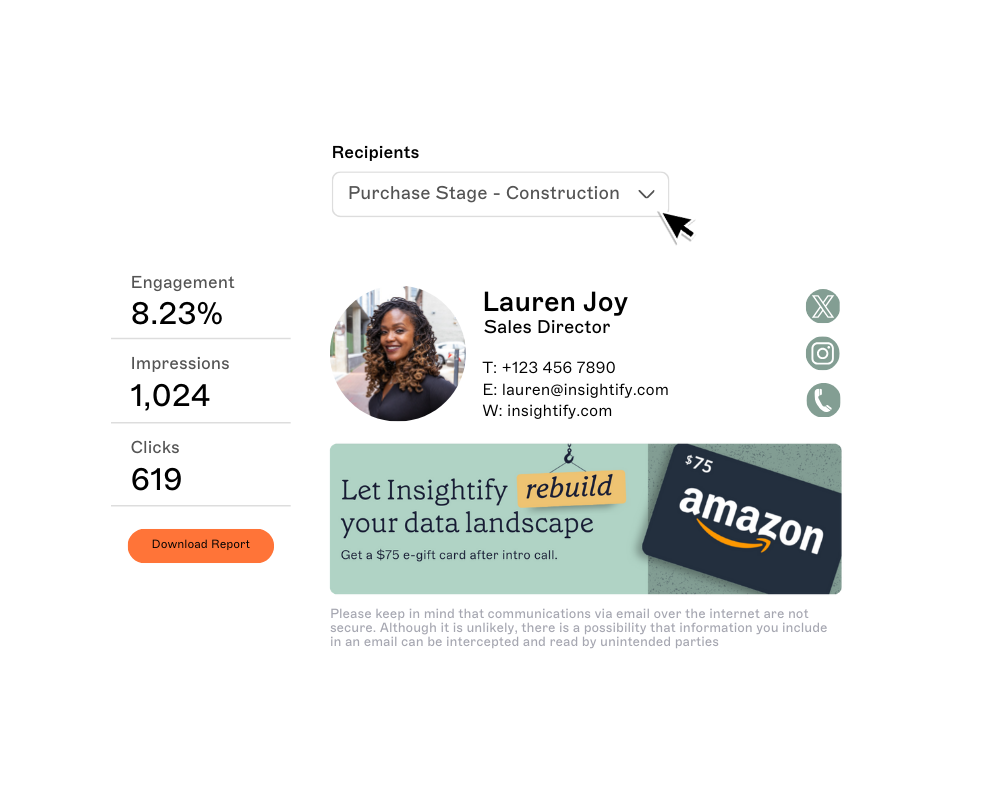 Instead of static contact information, integrating your CRM with email signatures means they can display:
Promotional banners relevant to the recipient’s sector or needs
Event invitations for upcoming webinars, trade shows, or conferences
Links to resources such as case studies, guides, or product demos
Calls-to-action matched to the buyer’s stage in the funnel
Updates happen automatically. Marketing teams can schedule or change campaigns centrally, with updates applied instantly across all employee emails. This removes the need for individuals to manually edit their signatures and keeps branding and messaging consistent.
Example
If your CRM shows a contact is in the financial services industry, the email signature could feature a link to your latest banking compliance whitepaper. If the same contact moves to a later buying stage, the signature could then display a call-to-action to book a product demo.
Why marketing and sales should care
Marketing and sales teams rely on CRM systems to capture and analyze customer data. These platforms track every stage of the buyer journey, but much of that insight never makes it into the daily 1:1 emails employees send. Without connecting CRM data to professional email signatures, valuable opportunities are missed.
What marketing teams lose without integration
Reduced campaign reach. A webinar or product launch promoted only through email blasts and ads misses the extra exposure that everyday emails could deliver.
No attribution. Links in email signatures often go untracked, making it impossible to measure how much pipeline they influence.
Inconsistent branding. Without central control, marketing cannot guarantee that all communications align with the brand.
202%
Personalized calls-to-action perform better than generic ones (HubSpot).
What sales teams lose without integration
Missed personalization. A prospect in the CRM marked as “ready for demo” receives the same generic signature as someone at the top of the funnel. The chance to include a direct booking link is wasted.
Longer sales cycles. Without built-in CTAs, sales teams spend more time following up to schedule meetings or share resources.
Weakened trust. Outdated or inconsistent email signatures can make the company appear less professional.
34%
of organizations connect their email with CRM systems (State of Business Email 2025).
The cost of inaction
Research consistently shows that personalized communication increases engagement. HubSpot reports that personalized calls-to-action perform 202% better than generic ones. Yet our State of Business Email 2025 study found that only 34% of organizations integrate their email with CRM systems.
For marketing, this means wasted impressions and less visibility into campaign impact. For sales, it means slower deal cycles and reduced credibility with prospects. For both, it represents a missed chance to use CRM insights where they matter most: in the personal conversations that drive pipeline.
How CRM integration with email signature software works
Email signature software ensures every email uses the same approved layout, while giving marketing and sales the ability to run campaigns through banners, calls-to-action, and links. By integrating this software with a CRM, the content in each email signature can change automatically based on customer data.
 Integrating a CRM with email signature software is straightforward. However, its impact is significant. Each stage of the integration gives marketing and sales more control over what recipients see, while IT teams maintain governance and security.
How do you connect a CRM to email signature software?
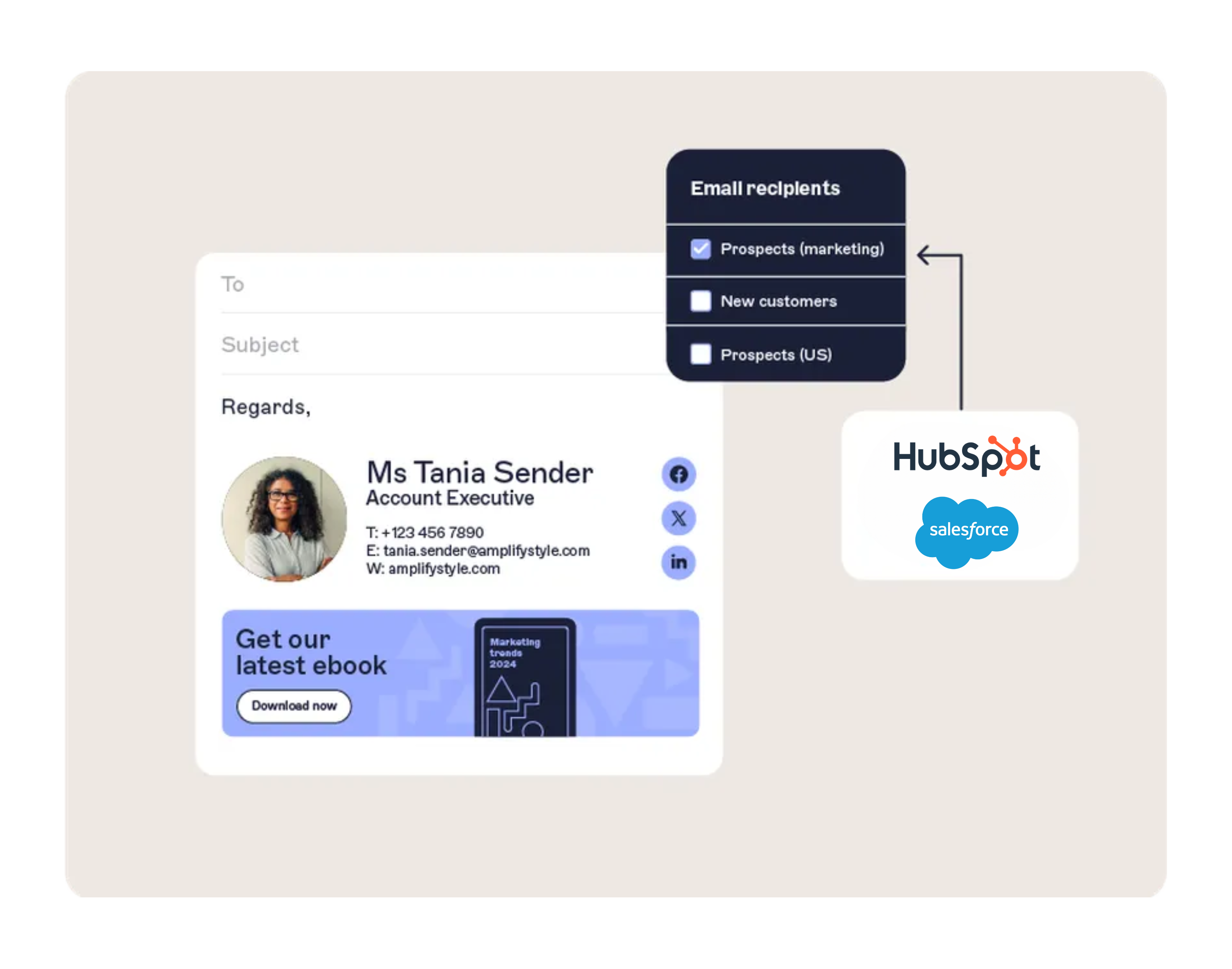
Most integrations are handled through a secure API or native connector. This link ensures that key CRM fields, such as industry, account tier, or sales stage, can be used to influence what appears in each employee’s email signature.
The impact
Once the data flow is active, marketing no longer needs to rely on static signatures or manual updates. Every campaign can pull directly from live CRM information.
How are CRM fields mapped to email signatures?
Marketing can decide which CRM fields influence different parts of the signature.
For example:
The industry field could display a sector-specific banner
The stage field could decide whether the CTA is “book a demo” or “download a case study”
The region field could promote upcoming events in that location
The impact
Email signatures become a personalized, automated distribution channel that mirrors the same segmentation already used in the CRM.
How do you target different audiences?
Rules can be created to ensure the right content reaches the right contacts. For example, early-stage prospects might see educational resources, while key accounts in an ABM program see tailored offers.
The impact
Targeting means that every interaction is relevant, without employees having to make manual adjustments.
How are results measured?
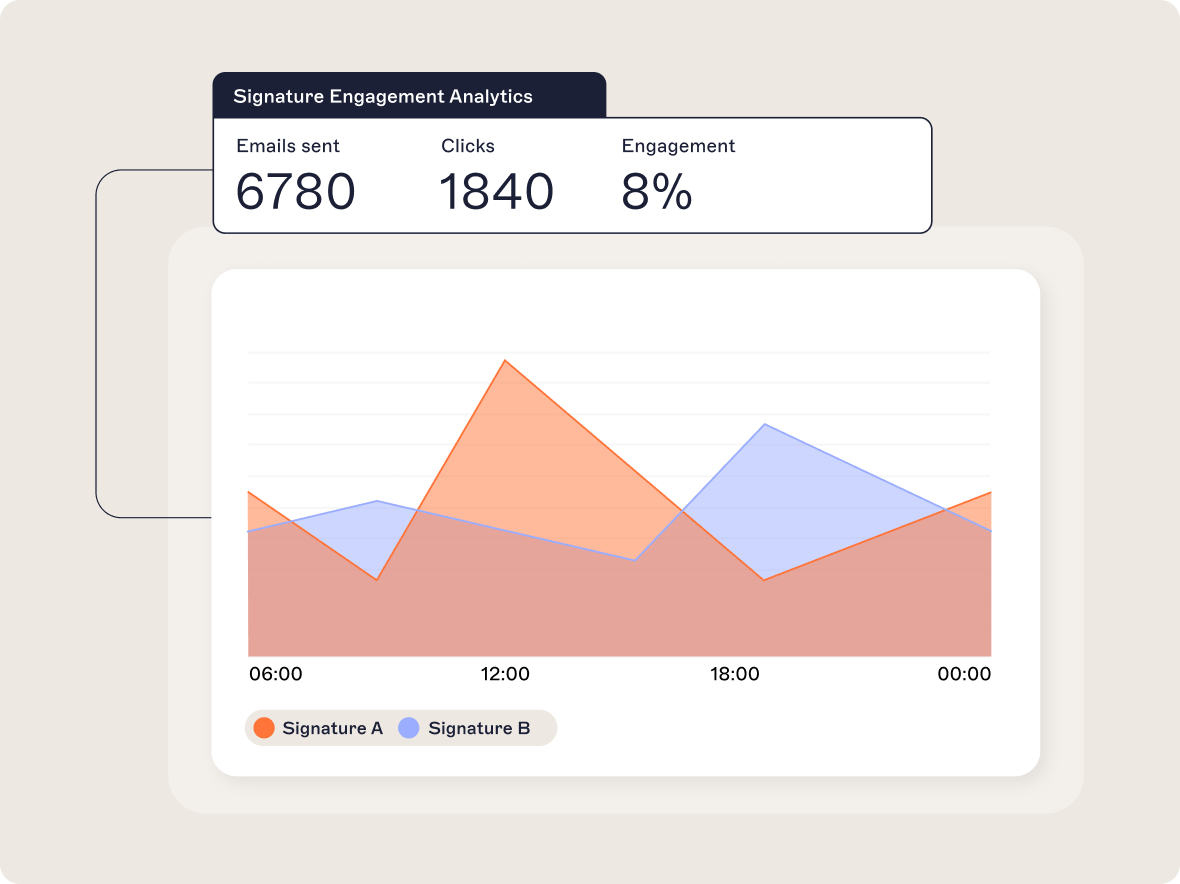
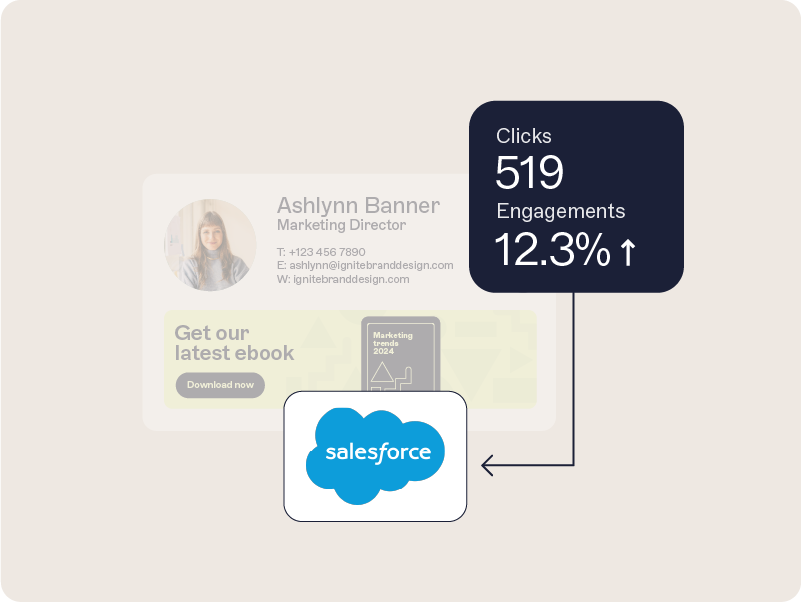
Engagement data, such as clicks on banners or calls-to-action, can be captured and reported back into the CRM. This creates a closed loop where marketing can prove ROI and sales can see which accounts are showing interest.
Example
A marketing team running an account-based campaign connects Salesforce to its email signature software. Key accounts automatically see a banner linking to an industry-specific resource. When contacts interact with that content, the activity is logged in Salesforce, giving sales visibility into which accounts are engaging most.
Key benefits for marketing teams
Marketing teams are under constant pressure to prove the impact of their campaigns, generate quality leads, and deliver consistent brand experiences. By connecting a CRM to email signature software, marketers gain an additional channel that works quietly in the background of every employee email but delivers measurable value.

Personalize messages automatically with CRM data
CRM fields can automatically adapt signature content to match the recipient. A prospect in the technology sector might see a banner for a new IT trends report, while a retail contact sees a seasonal campaign offer. Updates are applied centrally, so personalization happens at scale without extra work for employees.
The impact
Personalization has a proven impact. McKinsey research shows that personalization can deliver five to eight times the ROI on marketing spend and lift sales by 10% or more. Extending that level of relevance to business emails increases the chances of engagement in a channel already trusted by recipients.
Extend your campaign reach
Everyday business emails represent thousands of touchpoints that often go unused. CRM-integrated email signatures allow campaigns for events, product launches, or new content to appear in every email sent across the company.
The impact
Instead of relying solely on email blasts or ads, marketers gain a channel that amplifies reach without additional cost or audience fatigue.
Protect brand consistency
Without centralized control, logos, disclaimers, and layouts often vary across departments and regions. CRM-connected signature software ensures brand assets are consistent everywhere and updates can be rolled out instantly.
The impact
Consistent branding reinforces trust and prevents reputational damage from outdated or incorrect details.
Engage customers with always-on content
Email signatures can serve as an always-on distribution channel for content such as blogs, videos, or case studies.
This means valuable resources are placed directly in front of recipients during everyday interactions, keeping prospects engaged between larger campaign pushes.
Prove impact with CRM-logged engagement data
Clicks on banners and CTAs are tracked and pushed back into the CRM. This creates closed-loop reporting where marketing can measure how much pipeline is influenced by email signature campaigns.
Example
A B2B software company uses HubSpot data to run a webinar campaign. Early-stage leads see awareness content, while prospects marked as “evaluation” receive a demo CTA. Engagement data flows back into HubSpot, showing which accounts interacted with the campaign. This allows the marketing team to optimize outreach and report directly on influenced pipeline.
Key benefits for sales teams
For sales teams, every email sent is part of the customer journey. Integrating CRM data with professional email signatures helps reps strengthen trust and capture signals that make conversations more relevant. These benefits directly influence core sales outcomes such as pipeline velocity, account growth, and win rates.

Faster meeting scheduling
Back-and-forth scheduling wastes time and slows deals. Adding booking links into email signatures allows prospects to choose a time instantly. These links can adapt based on CRM data. For example, showing different calendars for early-stage prospects and late-stage opportunities.
The impact
Reducing delays in scheduling helps shorten sales cycles and keeps momentum in the buying process.
Built-in upsell and cross-sell opportunities
CRM fields can trigger relevant upsell or cross-sell banners in signatures. An existing customer who has purchased a core solution could see a banner promoting a premium module or advanced support package.
The impact
Reps don’t need to add every promotion manually to their emails. Instead, account expansion opportunities are surfaced automatically, supporting revenue growth without additional admin.
Consistency builds credibility
Buyers expect a professional, reliable experience in every interaction. Outdated job titles, missing contact details, or inconsistent branding can damage credibility. With centralized email signature management, every message displays accurate information.
The impact
Credibility influences competitive deals. Salesforce’s State of the Connected Customer report shows that 88% of customers say trust is more important in times of change. Consistent, professional email signatures reinforce that trust.
Engagement signals for better conversations
Every click on a demo link, case study, or event banner can be logged back into the CRM. Sales teams gain visibility into which accounts are engaging most and what content is resonating.
Example
A SaaS sales team uses HubSpot-integrated email signatures to promote webinars. When a prospect clicks a registration banner, the activity is logged in HubSpot. The account executive sees the engagement and follows up with related resources, leading to higher attendance and more pipeline progression.
Practical use cases across the funnel
Integrating CRM data with professional email signatures allows marketing and sales to deliver the right content at the right time. This doesn’t replace existing campaigns. Instead, it amplifies them through a channel that every prospect and customer already engage with: business email.
Top of funnel: Raising awareness
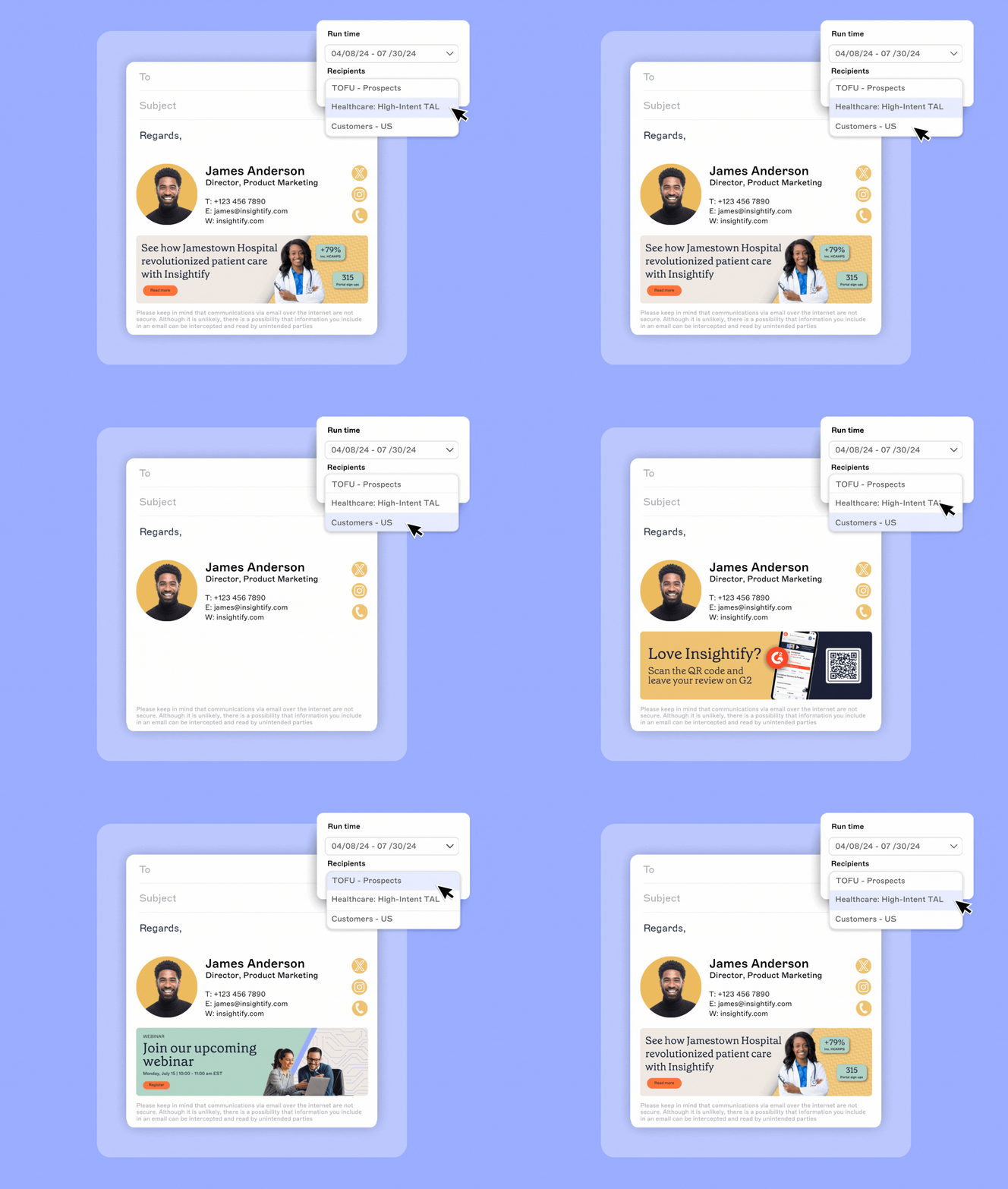
At the awareness stage, the goal is to spark interest and build credibility. CRM-integrated email signatures can automatically display:
- Event promotion. New leads in the CRM see banners for upcoming webinars or trade shows.
- Thought leadership. Industry-specific contacts receive links to sector reports or blogs.
Scenario: A manufacturing company adds 500 new leads from a trade show into its CRM. As reps follow up, those contacts see banners promoting a post-event webinar tailored to the manufacturing sector. Without additional email blasts, the company achieves higher attendance and extends the ROI of its event spend.
Middle of funnel: Nurturing prospects
Mid-funnel prospects need education and reassurance. CRM-linked signatures can provide:
- Case studies. Prospects in evaluation see stories from similar industries.
- Guides and whitepapers. Relevant content is surfaced automatically to support research.
- Webinar invites. Active CRM contacts see live or on-demand sessions aligned with their interests.
Scenario: A financial services firm uses Salesforce data to identify prospects in the “evaluation” stage. Those contacts receive emails from relationship managers with signatures promoting a compliance-focused whitepaper. Engagement is tracked back into Salesforce, showing which accounts are engaging with the content.
Bottom of funnel: Driving conversion
As prospects approach a decision, signatures can reduce friction and encourage commitment:
- Demo bookings. Opportunities flagged as late-stage automatically see booking links.
- Promotions or trials. Time-limited offers appear in signatures for accounts close to purchase.
- Rep-specific links. Dynamic fields ensure prospects can contact the right sales rep directly.
Scenario: A B2B SaaS provider runs a final-stage promotion. CRM data ensures only decision-stage contacts see the offer in email signatures. Within two weeks, sales report a measurable uplift in demo bookings linked directly to those email banners.
Industry-specific application
Different industries use CRM-integrated signatures in unique ways:
Financial services. Promoting compliance resources to demonstrate expertise and build trust.
Manufacturing. Using regional CRM fields to highlight local trade shows or distributor partnerships.
Non-profits. Tailoring donor outreach with event invites or fundraising appeals based on donor type.
Security and compliance considerations
Email is one of the most heavily regulated communication channels. For industries such as financial services, healthcare, and government, not meeting compliance requirements can result in fines, reputational damage, or lost customer trust. Connecting CRM data to professional email signatures must therefore be done in a way that protects both security and compliance.
The risks of unmanaged email signatures
When employees control their own email signatures, organizations face several risks:
Email disclaimers may be left out or applied inconsistently.
Outdated job titles or contact details reduce professionalism.
Sensitive CRM-linked information could be exposed through insecure setups.
These risks are magnified in regulated industries where every email is treated as an official record.
How centralized management ensures compliance
With email signature software, disclaimers and legal notices are applied automatically. Rules can assign different disclaimers by department, region, or account type, ensuring compliance with regulations such as GDPR, HIPAA, and FINRA.
The impact
Marketing and sales teams can run campaigns through signatures with confidence that every outbound email still meets regulatory standards. Audit logs and version control provide IT and compliance officers with the evidence they need during reviews.
How integrations protect data
Professional email signature platforms use secure APIs and encryption to handle CRM data safely. Access controls ensure only authorized users can schedule or edit campaigns. Certifications such as ISO 27001, ISO 27018, and SOC 2 confirm that processes meet recognized international standards.
The impact
Sensitive CRM fields like job titles or account designations are never exposed, and security controls meet the same standards used by enterprise IT systems.
Benefits for both IT and business teams
For IT, email signature management eliminates the need to chase employees for updates and reduces the chance of errors. For marketing and sales, it removes the fear of “breaking compliance” when running campaigns. Both sides benefit from signatures that are secure, consistent, and audit-ready.
Example
A global bank using CRM-integrated signatures ensures that all outbound emails automatically include the correct regional disclaimer. Marketing teams can still run targeted campaigns, but compliance officers have confidence that every email meets legal obligations.
Why Exclaimer is the natural choice
Organizations looking to integrate professional email signatures with CRM platforms need a solution that balances scale, security, and usability. Exclaimer's email signature management solution delivers on all three, making it the trusted choice for marketing, sales, and IT teams alike.

Scale and credibility
Exclaimer manages more than 20 billion email signatures annually for over 70,000 organizations. Customers range from global enterprises such as Sony and Bank of America to non-profits, government agencies, and mid-sized businesses. This scale shows Exclaimer’s proven ability to deliver consistent, measurable results across industries.
Purpose-built CRM integration
Exclaimer offers direct integrations with leading CRM platforms, including HubSpot and Salesforce, enabling customer data to flow seamlessly into email signatures. Unlike point solutions or manual methods, Exclaimer ensures CRM-driven personalization is applied securely and consistently across every employee email.
Proven impact across industries
Exclaimer customers in industries such as financial services, manufacturing, and education report stronger campaign engagement, higher event attendance, and greater brand consistency after integrating CRM data into their signatures. These outcomes demonstrate the versatility of the platform across regulated, global, and fast-moving sectors.
Security and compliance without compromise
Exclaimer is independently certified to ISO 27001, ISO 27018, and SOC 2, meeting the standards required by regulated industries. IT teams retain oversight and auditability, while marketing and sales can confidently run campaigns without risk of compliance failures.
Designed for IT and business collaboration
Exclaimer combines enterprise-grade governance with usability for business teams. IT controls branding, compliance, and access, while marketing and sales can schedule, personalize, and measure campaigns directly. This balance ensures email signatures become a reliable engagement channel without creating bottlenecks.
Case study: StratusLIVE
StratusLIVE, a nonprofit CRM provider, integrated Exclaimer with their CRM system to personalize signatures for ABM campaigns. By surfacing banners and CTAs tailored to specific account segments, they improved engagement and gave sales greater visibility into account activity.
Making email signatures work harder
Integrating professional email signatures with CRM platforms transforms a static element into a channel for measurable engagement. Every employee email becomes an opportunity to extend campaign reach, share relevant content, and guide prospects toward the next step in their journey.
Exclaimer enables organizations to achieve this at scale. With direct integrations for HubSpot and Salesforce, enterprise-grade security certifications, and proven results across industries, Exclaimer is the trusted choice for managing professional email signatures.
Ready to see it in action?
See how Exclaimer fits into your tech stack and can turn all business emails to a demand generation channel.