Choosing the best email signature fonts
12 November 2025
0 min read
TL;DR
- Email-safe fonts like Arial, Calibri, Georgia, Verdana, and Tahoma display consistently across devices and clients
- Custom or brand fonts often don’t render for recipients unless fallback rules are applied
- Stick to 10–12 pt font size and dark, high-contrast colors for readability and accessibility
- Maintain one consistent font across all users to keep every email on-brand.
- With Exclaimer’s cloud solution, IT teams can define and enforce approved fonts across Outlook, Gmail, and mobile—no manual updates needed
Every element of an email signature’s design is important. However, getting the design right can be difficult. One element that can easily ruin the design of an email signature is the font. The font you choose for your email signature plays a big part in how that message is perceived. A professional, readable font builds trust and reinforces your brand identity, while a poor choice can make emails look inconsistent or unprofessional.
Choosing the right font is about ensuring your message looks the same for every recipient, on every device, and in every email client. If the font you use isn’t supported, it can be replaced with a default system font—causing layout issues or breaking your design.
When email signatures are standardized with approved fonts, your business communication looks consistent, accessible, and on-brand across the board.
Using web safe fonts for email signature designs
Using a web safe font in an email signature will almost always guarantee the font appears on the recipient’s end as intended. These are also known as “sans serif fonts” as they’re commonly used for digital channels. They’re easy to read and aren’t overly decorative.
 A web safe font is one that’s installed on almost every Windows and Mac device by default. They’re available for display on common web browsers like Chrome, Firefox, and Microsoft Edge, as well as standard operating systems like Windows, iOS, macOS, and Android. If you use it in an email signature, it will look the same on the recipient’s end.
Here are some proven choices for business email signatures:
Arial: Simple, widely supported, and professional. Arial is a safe default that works across all devices and operating systems.
Calibri: Clean and modern, Calibri displays well on both Windows and macOS. It’s a familiar choice that balances readability with a softer appearance.
Verdana: Designed for digital screens, Verdana’s generous spacing improves legibility on smaller displays and mobile devices.
Georgia: A strong serif font that conveys professionalism and credibility. It’s a good fit for industries like law, finance, or education.
Tahoma: Compact and clear. Tahoma is ideal for organizations with space constraints or more detailed contact information.
Helvetica: Balanced, neutral, and timeless. Helvetica works well for modern brands that value simplicity and precision.
So which is the best font for an email signature? We’ve gone to the trouble of putting together a list of recommended web safe fonts you can use in email signatures:
| Font | Windows | macOS | iOS | Android | Webmail | Notes |
|---|---|---|---|---|---|---|
| Arial | ✓ | ✓ | ✓ | ✓ | ✓ | Widely cited as safe |
| Georgia | ✓ | ✓ | ✓ | ✓ | ✓ | Strong email-safe serif |
| Verdana | ✓ | ✓ | ✓ | Varies | ✓ | Safe font with unclear Android support |
| Tahoma | ✓ | Varies | Varies | ✓ | Varies | Supported on Windows & Android; others less certain |
| Helvetica | Varies | ✓ | ✓ | Varies | Varies | Strong on Apple platforms |
| Calibri | ✓ | Varies | Varies | Varies | Varies | Native to Windows; limited elsewhere |
| Times New Roman | ✓ | ✓ | ✓ | ✓ | ✓ | Broadly supported classic serif |
| Trebuchet MS | ✓ | ✓ | ✓ | Varies | ✓ | Safe on most platforms; Android less clear |
| Courier New | ✓ | ✓ | ✓ | ✓ | ✓ | Font for code/email use |
Fonts to avoid
Fonts that don’t render consistently or are difficult to read can undermine your professionalism. Avoid:
Script or cursive fonts (e.g., Brush Script, Lobster)
Decorative fonts (e.g., Comic Sans, Papyrus)
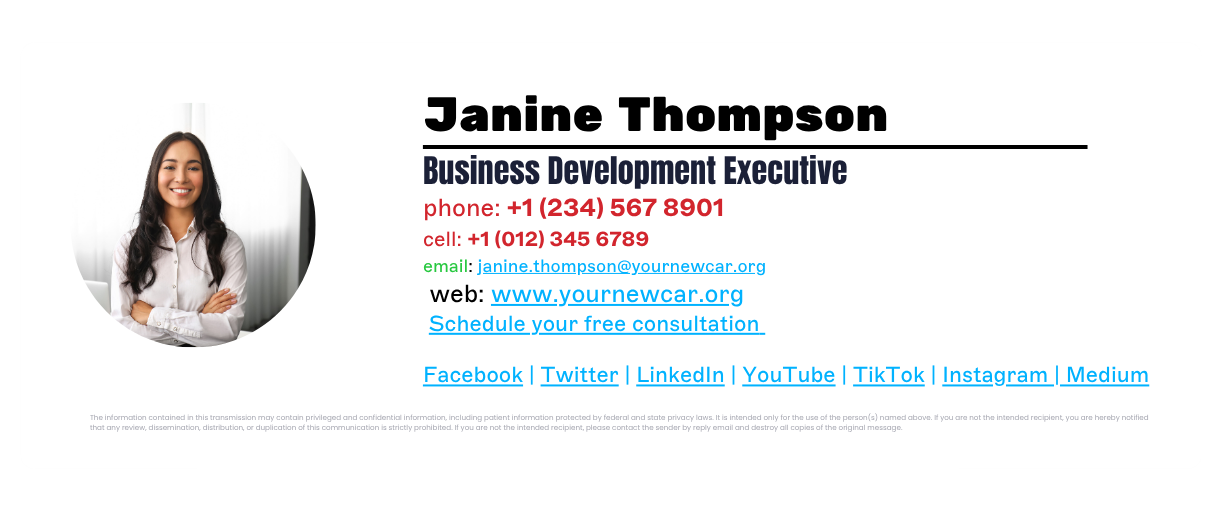
Custom web fonts that rely on external hosting
These fonts often get replaced with system defaults, disrupting formatting and brand consistency.
Using custom fonts in email signatures
Custom fonts, like web fonts created specifically for a company, can be used in email signatures. However, as a custom font is most likely not installed on an external recipient’s device, the font might not show correctly on your email signature.
 The same is also true if you decide to use Google Fonts. The email signature font text will fall back to a font that’s available on the recipient’s side.
It’s possible to set the default fallback font to one of your choosing, but you’ll need good HTML coding knowledge.
Other reasons to avoid using custom fonts include the following:
Difficult to read. Non-web safe fonts will make your email signature template often illegible. If the email signature font makes it too difficult for recipients to see the contact information, it can cause frustration.
Negative impact on your brand. Email signatures are an online reflection of your business. It directly correlates to the professionalism of your brand. Using messy email signature fonts makes the template hard to read and negatively affects the recipient.
Font size, color, and hierarchy tips
Choosing the right size and color helps your email signature stay readable, accessible, and visually balanced. The goal is consistency across users, departments, and devices.
Font size
Keep your main text between 10 and 12 pt.
Use 12 pt for the sender’s name.
10–11 pt works for job titles, company names, and contact details.
Smaller fonts can look cramped or disappear on mobile.
Larger fonts can make a message feel less professional.
If you’re managing email signatures across an organization, standardize these sizes so every signature feels unified.
Color
Stick to your brand palette. Use dark, high-contrast colors for text—typically navy or neutral gray for best legibility.
Avoid light or bright colors for main text.
Use accent colors sparingly (for example, in a call-to-action or social icon).
Always maintain strong color contrast to meet accessibility standards (WCAG AA or higher).
Hierarchy
Use weight and spacing, not multiple colors or fonts, to guide the reader’s eye.
Make the sender’s name slightly larger or bolder than the rest of the text.
Keep spacing consistent between each line of information.
Avoid italics or all-caps except where necessary (like department names).
How to ensure font consistency across an organization
Even if you choose the right email-safe font, keeping it consistent across every employee and device can still be difficult. Users might change their settings, different operating systems render fonts differently, and mobile clients often apply their own defaults.
 That inconsistency adds up—emails start to look off-brand or unprofessional, especially when multiple departments use different templates.
The best way to solve this is with centralized control.
With Exclaimer’s email signature software, IT teams can:
Define approved fonts, sizes, and colors once.
Automatically apply them to every user, across Outlook, Gmail, and mobile devices.
Enforce fallback rules to prevent unsupported fonts from breaking layouts.
Give marketing and compliance teams limited access to update templates without losing IT oversight.
This ensures every outbound email—from any device or location—looks professional, accessible, and on-brand.
Let us show you how Exclaimer fits into your setup with a custom walkthrough or free trial.