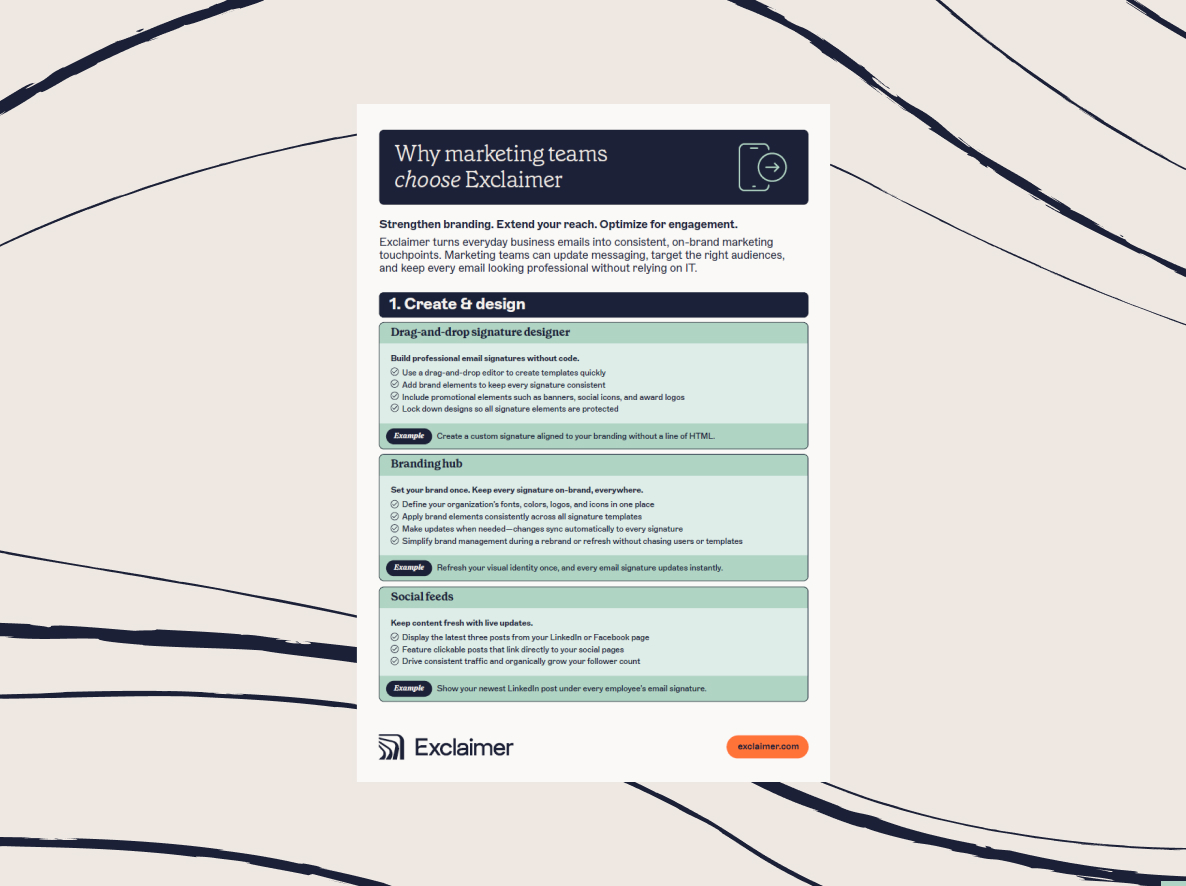
How to automate email signature updates in minutes, not days
6 November 2025
0 min read
TL;DR
- Manual email signature management wastes IT time and risks brand inconsistency and compliance failures.
- Automation centralizes control, ensures brand consistency, and syncs details automatically from directory data.
- Exclaimer integrates with Microsoft 365 and Google Workspace for fast, organization-wide rollouts.
- Role-based access lets Marketing and Legal make updates while IT maintains oversight.
- Automation reduces support tickets, improves compliance, and turns email signatures into a measurable marketing channel.
Email remains the cornerstone of business communication, especially for organizations that rely on Microsoft 365 or Google Workspace. Every email your employees send represents your brand, your professionalism, and your compliance posture.
But for IT teams, keeping email signatures consistent and up to date across hundreds or thousands of users is a constant headache. Manual updates waste valuable time, invite human error, and create unnecessary risk. In fact, 35% of IT leaders say managing email signatures is among their most time-consuming administrative tasks.
That’s where automation makes the difference. By automating email signature updates, IT can eliminate repetitive work, enforce brand consistency, and maintain compliance—all from one centralized platform.
This guide shows you how to automate email signature updates step by step, explains why automation matters, and highlights how Exclaimer simplifies email signature management at scale.
The problem with manual email signature updates
At first, updating an email signature might seem simple. But for IT teams managing hundreds or thousands of users, it quickly becomes a recurring drain on time and resources. Without automation, even small updates require manual effort across multiple systems and devices.
Manual email signature updates create three core problems:
IT workload and inefficiency: Each email signature update must be made manually or through complex scripts and mail flow rules. These often break after platform updates, creating more troubleshooting and support tickets.
Inconsistent branding: When employees control their own email signatures, design standards quickly erode. Colors, logos, and fonts vary by user or department, weakening brand recognition and credibility with customers and partners.
Compliance and legal exposure: Missing disclaimers or outdated contact details can result in costly compliance issues. Without centralized oversight, organizations can’t guarantee that every outbound message meets legal or regulatory standards.
In short, managing email signatures manually is inefficient, error-prone, and unsustainable at scale. Automating email signature updates removes these challenges entirely so that every message is consistent, compliant, and professional.
What email signature automation is
Email signature automation takes what was once a fragmented, manual process and replaces it with a centralized, reliable system. Instead of making individual updates across accounts and devices, IT can manage every email signature from a single platform and deploy changes instantly across the organization.
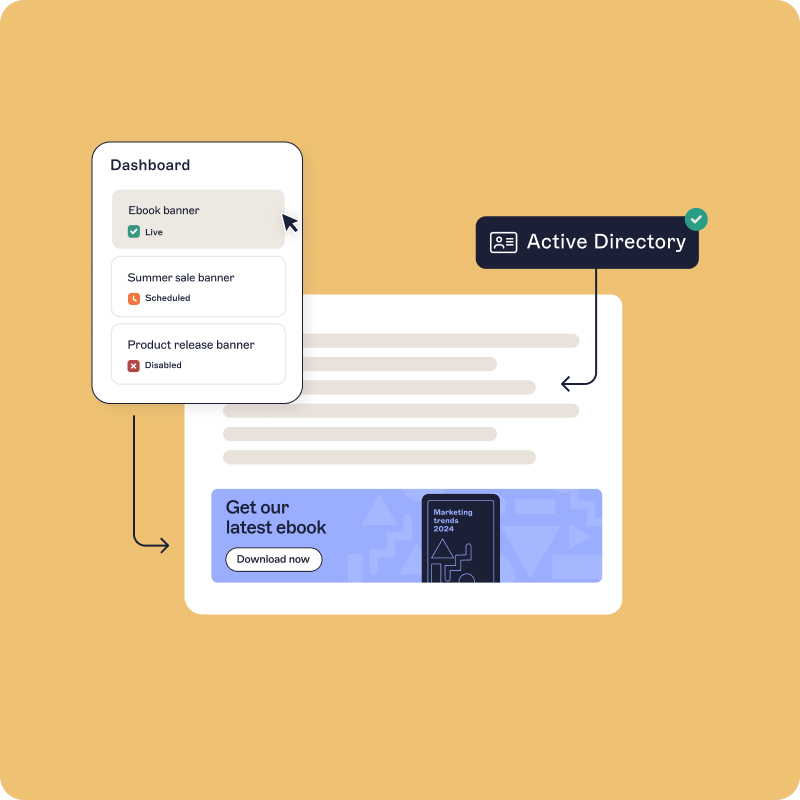 At its core, automated email signature management means consistency, control, and compliance without the manual effort.
Key aspects of automated email signature management include:
Centralized control: IT manages all employee signatures from one place—no scripts, no mail flow rules, and no local installs. Changes can be rolled out organization-wide in minutes, ensuring every email looks professional and on-brand.
Brand consistency: Approved templates ensure every message follows the same design standards—logo, font, color, and layout. This protects brand integrity and ensures every email reinforces the same visual identity.
Security and compliance: Automated systems enforce legal disclaimers and standardize messaging across departments. Every change is logged to support audit readiness and demonstrate compliance with frameworks like GDPR or HIPAA.
Automatic directory sync: Contact details such as names, job titles, and phone numbers update automatically by syncing with Azure Active Directory, Google Directory, or other HR systems. This ensures accurate, up-to-date information on every email without relying on users.
With automation in place, IT eliminates repetitive manual work, Marketing maintains full control over branding, and Legal gains confidence that disclaimers are applied correctly. The result: fewer headaches for IT, stronger branding for Marketing, and lower risk for the entire organization.
Automating email signature updates in 5 steps
Transitioning from manual to automated email signature management doesn’t need to be complex. With the right platform, IT teams can take full control and deploy consistent, compliant signatures across every user and device in just a few steps.
Here’s how to automate email signature updates effectively:
1. Review current signatures and requirements
Before you start automating, take stock of your existing setup:
Which systems or processes are currently used to manage email signatures?
What disclaimers or legal statements are required by law or policy?
What logos, fonts, and colors are approved by Marketing?
Are there regional or departmental variations that need to be supported?
This assessment will help you define a structure that scales across your organization.
2. Select an email signature management tool
Not all solutions are created equal. Look for a platform that integrates with your existing infrastructure, provides role-based access for non-IT teams, and offers proven reliability at scale.
3. Integrate with your email environment
Connect the solution with your email system of choice. Exclaimer integrates directly with Microsoft 365, Google Workspace, or hybrid Exchange environments. Once linked, updates flow automatically to every user.
4. Create and test a template
Use dynamic fields that sync with your directory. This ensures details like names and phone numbers are always correct. Test templates across multiple devices and email clients to ensure consistent formatting before deployment.
5. Roll out organization-wide
Once validated, signatures can be applied instantly to every employee’s email. IT maintains oversight, while Marketing and Legal teams can make updates without raising tickets. This removes bottlenecks and ensures a strong, consistent brand image.
Most teams getting started with Exclaimer can have their first signatures deployed in 10 minutes or less.
Maintaining signature consistency
Once automation is in place, email signature management shifts from reactive to proactive. Updates that once took days or weeks can now be applied in minutes, ensuring your organization’s brand and compliance standards are never left behind.
 Here’s how to keep your email signatures consistent and effective over time:
Sync with HR and directory data: Every time an employee changes role, department, or location, their details automatically update through directory sync. This keeps contact information current across every email and removes the risk of outdated titles or incorrect phone numbers appearing in customer communications.
Plan ahead for campaigns and seasonal updates: With centralized automation, Marketing can schedule email signature banners to align with promotions, events, or announcements without depending on IT. Whether you’re highlighting an industry award, a sustainability initiative, or customer satisfaction scores, campaigns can run seamlessly across every outbound email.
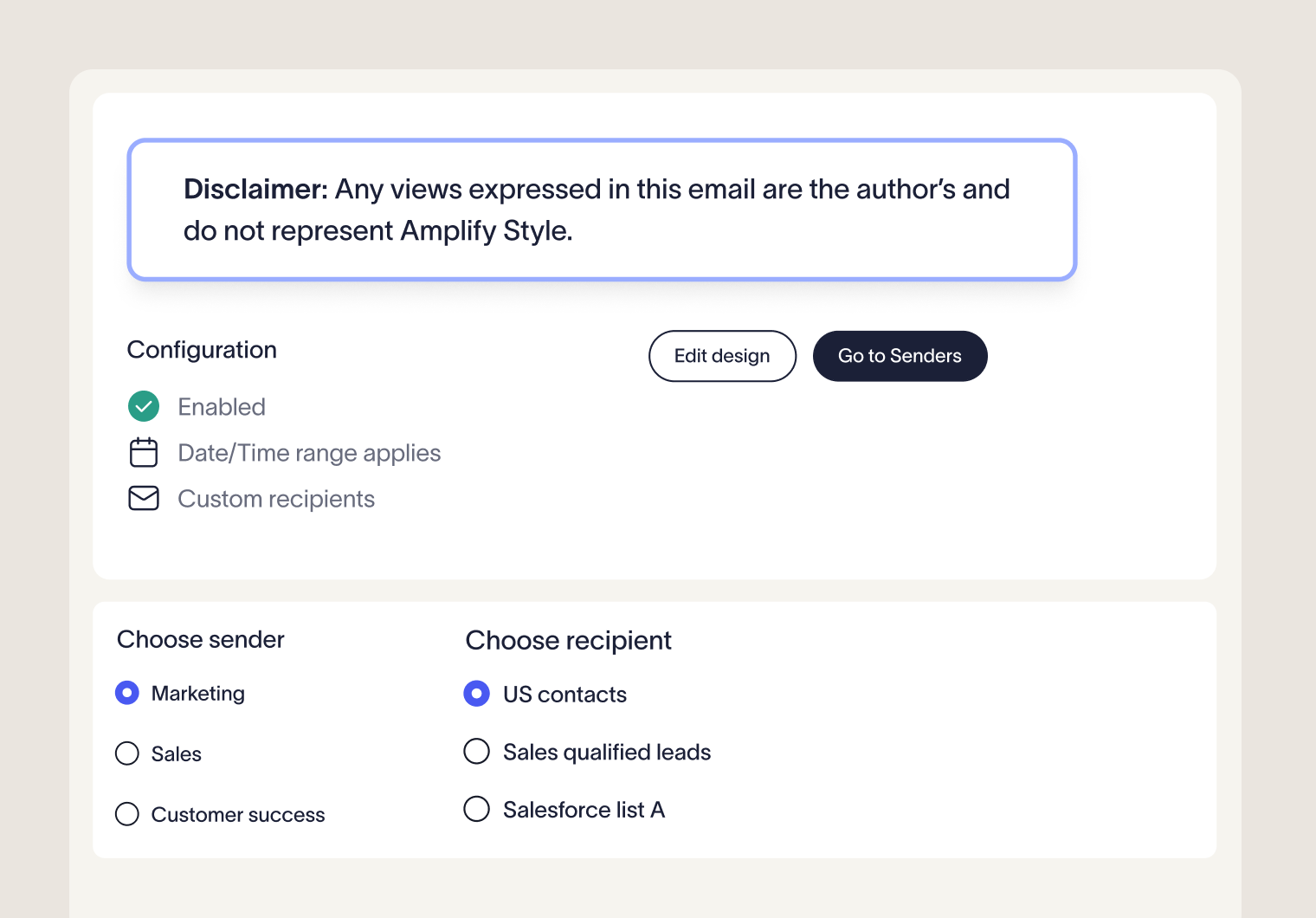
Keep disclaimers current and compliant: Regulations evolve, especially for global organizations. Automated tools make it easy for Legal teams to update disclaimers by region, department, or business unit. Changes are applied instantly, so every message includes the correct legal wording, wherever it’s sent from.
Delegate updates responsibly: Role-based access control (RBAC) lets Marketing manage brand visuals, Legal manage disclaimers, and IT retain system-level oversight. Each team can make changes within their remit, ensuring updates happen quickly without compromising security or compliance.
Automation gives IT the oversight it needs while empowering other departments to act independently. The result is a governance model that’s fast, flexible, and always on brand.
Measuring results
Automation delivers measurable outcomes across IT, Marketing, and Compliance. Once your automated email signature management system is running, it’s important to track the results to demonstrate its impact on efficiency, consistency, and control.
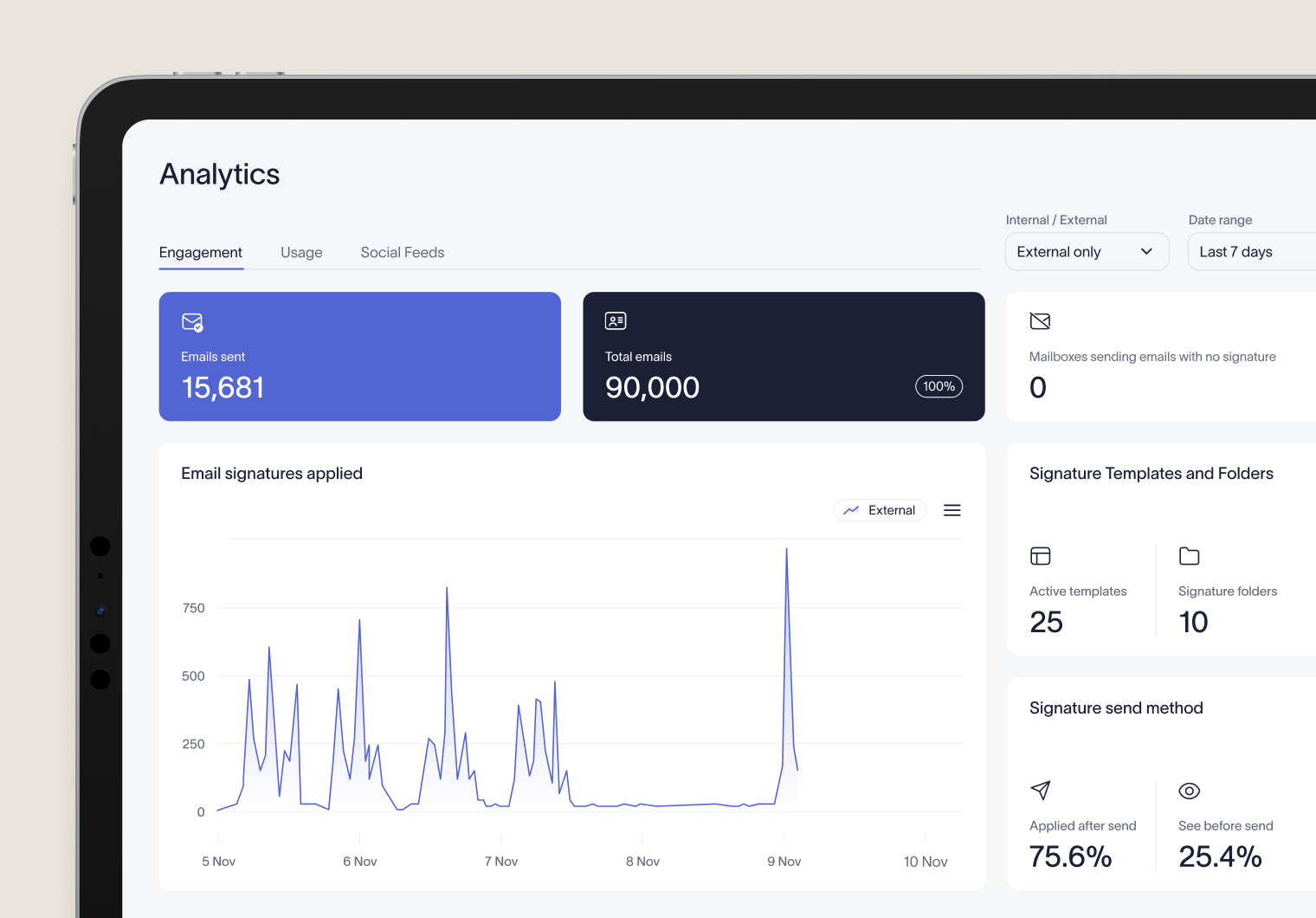
Here’s what to measure:
Fewer tickets: Organizations that automate email signature updates typically see an immediate drop in help desk requests such as “Can you fix my signature?” or “My logo looks wrong.” This frees IT to focus on more strategic projects rather than repetitive maintenance.
Uniform branding: Consistent formatting across every email reinforces professionalism and builds trust. Every message sent by your organization should reflect the same brand identity.
Audit readiness: Automated systems maintain a complete log of every change, including who made updates and when. These audit trails support compliance reviews and make it easy to demonstrate due diligence during regulatory inspections or internal audits.
Marketing metrics: Email signatures are also a valuable engagement channel. With clickable banners, surveys, or promotional CTAs, Marketing can measure performance through click-through rates and conversions—providing real data on campaign effectiveness.
Operational efficiency: The combination of fewer IT tickets, improved brand control, and measurable marketing results translates directly into productivity gains. Automation pays dividends across the organization, delivering tangible ROI that both IT and business leaders can quantify.
By tracking these metrics, IT teams can show exactly how automating email signature updates improves operations, strengthens governance, and enhances every outbound communication.
Quick tips to avoid signature issues
Even with automation in place, following best practices will help IT, Marketing, and Legal teams get the most value from your email signature management platform.
Avoid reliance on scripts and mail flow rules: While PowerShell scripts or Exchange transport rules can work for small environments, they don’t scale well and often break after software updates. A centralized, automated platform provides a more stable and secure long-term solution.
Optimize for mobile. More than half of all business emails are read on mobile devices. Keep designs simple, avoid wide images, and test for readability on smaller screens.
Keep templates streamlined. An email signature should enhance a message, not overpower it. Focus on the essentials: logo, contact details, and disclaimers. Promotional banners and links should support key business goals without distracting from the main content.
Automate disclaimers. Compliance is easier when disclaimers are automatically applied by department, region, or business unit. With Exclaimer, email disclaimers can be locked, logged, and updated instantly.
Test before deploying updates: Whenever you introduce a new layout, banner, or disclaimer, test thoroughly across devices and clients before organization-wide rollout. A few minutes of testing prevents display issues that could undermine your brand’s professionalism.
Conclusion
Automating email signature updates transforms what was once a manual IT burden into a streamlined, scalable process. No more chasing employees for changes, maintaining scripts, or worrying about inconsistent branding and outdated disclaimers.
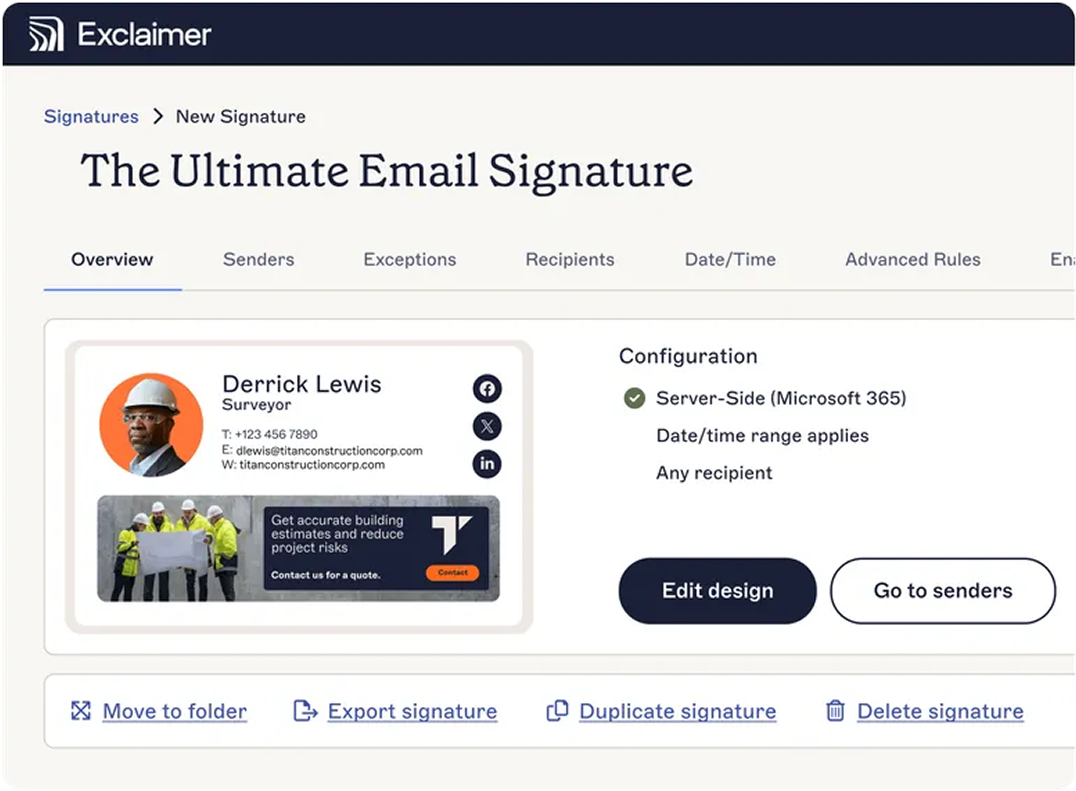 With automation, IT gains complete control through a single, centralized platform. Marketing can update campaign banners without relying on technical support. Legal can ensure disclaimers stay accurate across regions. And employees never have to think about their email signatures again.
With Exclaimer, organizations of all sizes can automate signature management in minutes, not days—saving time, reducing risk, and ensuring every email represents the business professionally.
Built on certified infrastructure (ISO 27001, ISO 27018, and SOC 2 Type II), Exclaimer ensures every message your organization sends is consistent, compliant, and on brand—no matter where it’s sent from.
Next step: Discover the hidden costs of unmanaged email signatures and the difference Exclaimer can make.